
Mashreq Online Banking allows customers in the UAE to manage their bank accounts digitally without visiting a branch. Users can check account balances, review transactions, transfer money, pay utility bills, and manage their cards through the online banking platform. Whether you are a new customer setting up online banking or an existing user who needs help with login, payments, fund transfers, or password recovery, this guide covers the essential Mashreq banking services, explains how to access your account, and provides guidance on resolving common online banking issues.
What Does Mashreq Online Banking Offer?
Mashreq Online Banking is the bank’s internet-based service for customers in the UAE who want to manage their finances remotely. By signing in through a web browser, eligible account holders can access everyday banking facilities, carry out transactions, and request selected services without travelling to a branch.
The platform supports several banking activities, from checking account balances to sending money locally or overseas. Customers can also manage card-related services, make payments, and access electronic statements.
Main Services Available Online
Customers can use Mashreq’s digital banking facilities for the following purposes:
Readmore:Homepage
What Do You Need Before Accessing Mashreq Online Banking?
Having the correct information ready can make registration and login easier. New customers may need their Mashreq card details and registered mobile number to complete the required identity checks.
Prepare the following before getting started:
Already registered? If you have an existing Mashreq Online Banking username and password, you can sign in directly without creating another account.
Important: If you don’t have an active Mashreq debit or credit card, contact Mashreq customer support to ask about the available registration options.r assistance with creating your online banking credentials.
How to Create a Mashreq Online Banking Account
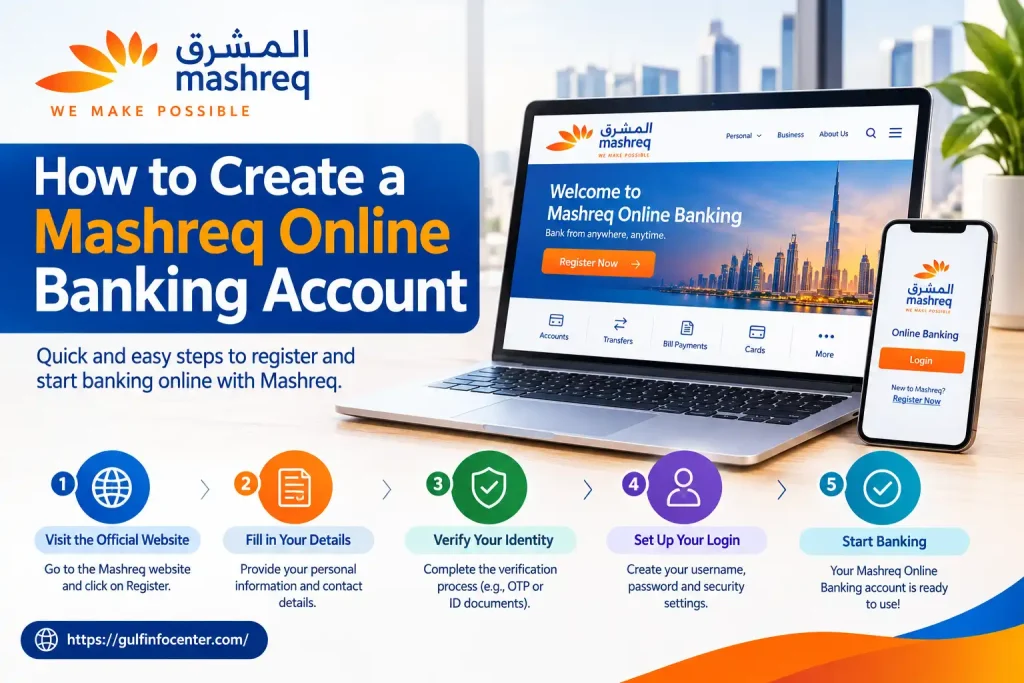
Customers who are new to Mashreq’s digital banking service can set up their login credentials through the bank’s official website. The process involves providing eligible card details, confirming their identity through mobile verification, and choosing a username and password.
Follow the steps below to get started.
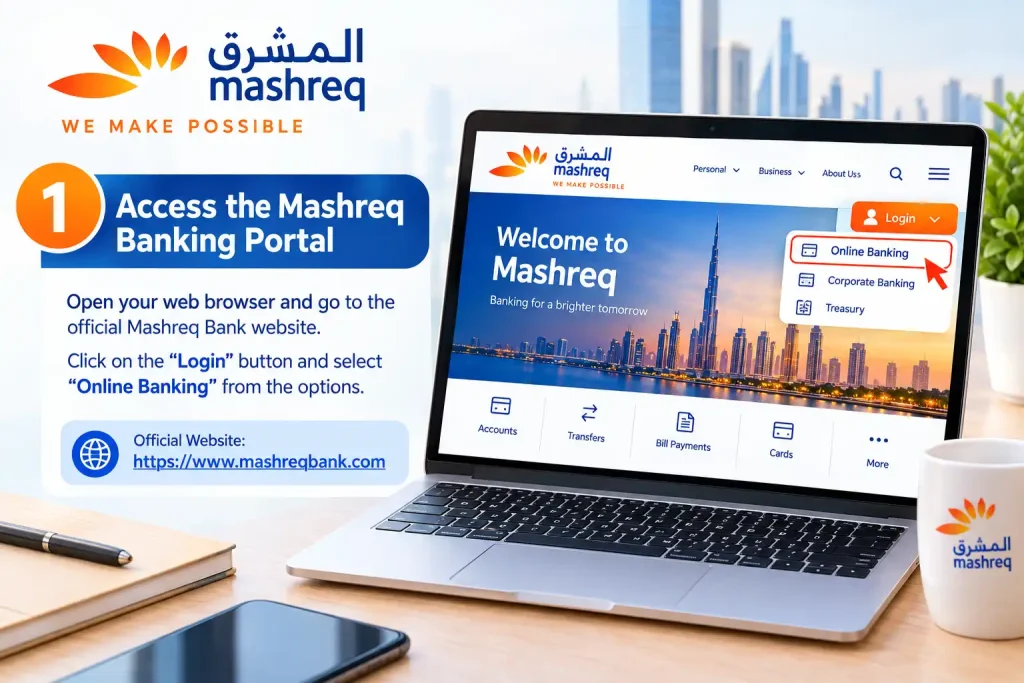
Step 1: Access the Mashreq Banking Portal
Open your preferred browser and visit the official Mashreq Online Banking website.
Check the website address before entering any banking details. Always use the bank’s official portal to protect your personal and financial information.
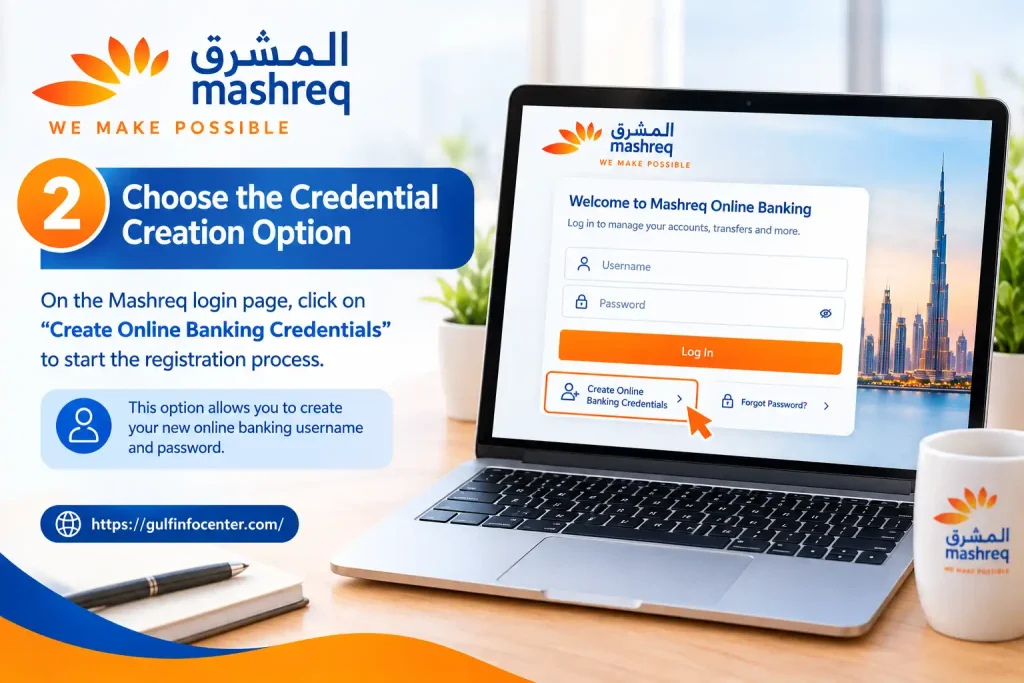
Step 2: Choose the Credential Creation Option
On the login page, find and select Create Credentials. This option takes you to the registration process, where you can begin setting up your online banking access.
Step 3: Provide Your Debit or Credit Card Details
Enter the requested card information in the relevant fields. The registration form generally asks for:
Make sure the information matches your existing bank records before moving to the next step.

Step 4: Complete Mobile Verification
Mashreq sends an authorisation code to the mobile number registered with your bank account. Enter the received code into the verification field to confirm your identity.
If the code doesn’t arrive, check your mobile reception and confirm that your registered phone number is correct.
Step 5: Set Your Username and Password
Once your identity has been verified, create a username and password following the instructions displayed on the website.
Choose a strong, unique password rather than reusing one from another online account.
Step 6: Finalise Your Registration
Complete any remaining instructions displayed on the portal. After your credentials have been successfully created, you can use them to access Mashreq Online Banking.
Mashreq Online Banking Login: How to Access Your Account
Once your credentials are ready, signing in allows you to manage your banking activities from the online dashboard. Keep your registered username and password available before starting.
Step 1: Open the Official Login Page
Visit the Mashreq Online Banking login portal using an updated web browser.
Step 2: Enter Your Username
Find the username field on the sign-in page and enter the details you created during registration. Check for typing errors or accidental spaces.
Step 3: Provide Your Password
Enter your online banking password in the password field. Remember that passwords are case-sensitive, so uppercase and lowercase letters must match your original credentials.
Step 4: Authenticate Your Login
Select Sign In to continue. If Mashreq requests an additional security check, follow the instructions displayed on the screen.
Step 5: Open Your Banking Dashboard
After successful verification, you should reach your online banking dashboard. Depending on your account and available services, you can use it to:
How to Send Money Using Mashreq Online Banking
Mashreq customers can use online banking to move funds between their own accounts, send money to other Mashreq customers, and make eligible local or international bank transfers. The available transfer methods, charges, limits, and processing times vary according to the destination and transaction type.
Step 1: Sign In to Mashreq Online Banking
Go to the official Mashreq website and enter your registered username and password. Complete any additional security verification required to access your account.
Step 2: Find the Money Transfer Menu
From the banking dashboard, open the Money Transfer section. This area displays the transfer services available for your account.
Step 3: Choose Where to Send the Money
Select the transfer method that matches your payment requirements. Available options may include:
| Transfer Type | Purpose |
|---|---|
| Own Account Transfer | Move money between your Mashreq accounts. |
| Mashreq-to-Mashreq | Send funds to another Mashreq customer. |
| Local Bank Transfer | Transfer money to an eligible UAE bank account. |
| International Transfer | Send funds to supported overseas bank accounts. |
| QuickRemit | Use the service for supported international destinations. |
Step 4: Select or Add a Beneficiary
Choose the intended recipient from your saved beneficiary list. If the recipient is new, follow the on-screen instructions to add their banking information.
Important: Newly registered beneficiaries are subject to a six-hour cooling period, according to the information provided. Transfers to a newly added beneficiary are restricted during this period.
Step 5: Enter the Payment Information
Provide the details requested by the transfer form, which may include:
Review the recipient’s information before continuing.
Step 6: Check and Authorise the Transaction
Before submitting the transfer, verify the amount, beneficiary details, applicable charges, and displayed exchange rate.
Complete the required authorisation to confirm the payment. Once submitted, save the transaction confirmation or reference number so you can refer to it if you need to check the transfer later.
How to Pay Bills Through Mashreq Online Banking
Customers can use Mashreq Online Banking to pay various supported bills directly from their bank accounts.
This feature helps customers manage regular payments without visiting separate payment centres.
Log In to Mashreq Online Banking
Open the official portal and sign in using your online banking credentials.
Select the Bill Payments Option
From your banking dashboard, locate the Bill Payments section.
Open it to view the available payment categories.
Choose the Bill Category
Select the appropriate category according to the payment you want to make.
Supported categories include:
The available billers may vary depending on the service and account eligibility.
Enter the Required Payment Information
Provide the requested customer number, account reference, bill number, or other details required by the selected biller.
Make sure the information matches your actual bill.
Review the Payment Amount
Check the payment details and amount before confirming.
Incorrect reference numbers or payment information can cause transaction problems.
Confirm the Bill Payment
Follow the on-screen authorisation instructions to complete the payment.
Once the transaction is processed, save the confirmation details for your records.
How to Reset a Forgotten Mashreq Online Banking Password
Forgetting your online banking password doesn’t mean you need to visit a Mashreq branch immediately. Eligible customers can use the self-service recovery facility on the login page to verify their identity and create a replacement password.
Follow these instructions to restore access to your account.
Step 1: Access the Mashreq Login Page
Open the official Mashreq Online Banking portal in your browser. Locate the customer sign-in area to begin the recovery process.
Step 2: Choose Forgot Password
Select the Forgot Password option displayed on the login page. This will open the password recovery section.
Step 3: Provide Your Banking Details
Enter the information requested by the recovery form. This may include:
Check each entry carefully to avoid verification errors.
Step 4: Verify Your Registered Mobile Number
Mashreq sends an authorisation code to the mobile number registered with your bank account. Enter the received code in the designated field to confirm your identity.
If you don’t receive the code, check your mobile connection and registered contact details.
Step 5: Set a Replacement Password
After successful verification, create a new password that meets the security requirements shown on the portal. Use a combination of characters that is difficult to guess and avoid passwords you’ve used elsewhere.
Step 6: Log In With Your New Credentials
Return to the sign-in page and enter your existing username along with your newly created password. Once authentication is successful, you can continue using your online banking services.
Need further assistance? If the recovery process doesn’t work, contact Mashreq customer support through its official service channels.
Common Mashreq Online Banking Problems and Their Solutions
Customers may occasionally encounter login errors, verification delays, or unsuccessful transactions while using Mashreq’s digital banking platform. Identifying the cause can help resolve these issues without unnecessary delays.
1. Incorrect Username or Password
Entering an incorrect username or password can prevent successful authentication. Even a small typing mistake or incorrect letter capitalisation may cause a login failure.
How to resolve it:
2. Authorisation Code Not Received
A delayed or missing authorisation code can interrupt registration, login verification, or password recovery. This may happen because of mobile network problems or incorrect registered contact details.
How to resolve it:
3. Beneficiary Unavailable for Transfers
Newly added beneficiaries may not be eligible for immediate transfers because Mashreq applies a security-related cooling period.
How to resolve it:
4. Mashreq Bill Payment Failed
An unsuccessful bill payment may result from incorrect reference details, insufficient available funds, or a temporary service interruption.
How to resolve it:
Important: Avoid submitting the same payment repeatedly until you have checked whether the previous transaction was processed.
5. Online Banking Website Not Opening
Sometimes the login page may fail to load because of browser compatibility issues, an unstable internet connection, or temporary technical problems.
How to resolve it:
Following these troubleshooting steps can help customers resolve common access and payment difficulties while keeping their online banking activities secure.
Essential Security Practices for Mashreq Online Banking
Protecting your banking information is just as important as managing your money. Since online banking provides access to personal and financial details, customers should take precautions whenever they sign in or make transactions.
Follow these security recommendations to reduce the risk of unauthorised access:
How to Contact Mashreq Online Banking Customer Support
Customers who need assistance with registration, account access, password resets, fund transfers, or unsuccessful payments can use Mashreq’s official customer support facilities. The bank provides online assistance to help customers find information and resolve banking-related concerns.
The following official resources can help you find the appropriate support service:
| Support Service | Official Resource |
|---|---|
| Customer Care | Mashreq Customer Care |
| Online Banking Information | Mashreq Digital Banking |
| Account Login | Mashreq Online Banking Portal |
When contacting customer support, explain the issue clearly and provide the relevant information requested by the bank. For a failed transaction, keep the transaction reference number and date available.
Security reminder: Never disclose your online banking password, CVV, or SMS authorisation code to anyone, including someone claiming to be a bank representative. bank’s official support process. Never disclose your password, CVV, or one-time verification code to anyone claiming to be a bank representative.
FAQs
Final Thoughts
With Mashreq Online Banking, customers in the UAE can handle many everyday financial tasks without visiting a bank branch. The digital platform brings essential services together, allowing users to check account balances, review transactions, transfer funds, pay bills, and manage their banking credentials from one place.
Getting the most out of these services starts with keeping your login details secure and using the official banking platform. Always double-check payment information before confirming transactions, and contact Mashreq customer support if you encounter an issue that requires further assistance.



