

Mashreq Business Online Banking is an online banking platform designed for eligible business customers of Mashreq Bank in the UAE. It enables authorised users to check business account details, monitor financial activity, and carry out available banking transactions digitally, reducing the need for routine branch visits.
Please note: This service is intended for business banking customers and should not be confused with Mashreq Neo or other personal banking services. The functions available to each user depend on the company’s banking arrangements, assigned access permissions, and the services activated by mashreq online business banking.
Understanding Mashreq Business Online Banking
Mashreq Business Online Banking gives eligible companies a way to handle routine banking tasks through an online portal. Depending on the business account and the services enabled by the bank, authorised users may be able to check account balances, examine past transactions, process payments, and manage other available banking activities.
The platform can serve different roles within a business, including:
Key Features Available to Business Customers
| Feature | Purpose |
|---|---|
| Secure business login | Gives authorised users access to the business banking portal. |
| Account information | Displays available business accounts, balances, and transaction details. |
| Online banking transactions | Allows eligible users to carry out supported transactions. |
| Payments and transfers | Provides access to payment services available for the business account. |
| Transaction tracking | Helps users review account activity and check transaction statuses. |
| User access and approvals | Applies permissions and approval rights based on the company’s banking arrangements. |
Important: Available features are not necessarily the same for every business. Your account configuration, user permissions, and the services activated by Mashreq Bank determine which functions you can use.
Readmore:Homepage
How to View Your Business Account Information
After signing in, you can review the account information available to your business profile. The exact menu names and functions may vary depending on your account setup.

Steps to Check Account Details

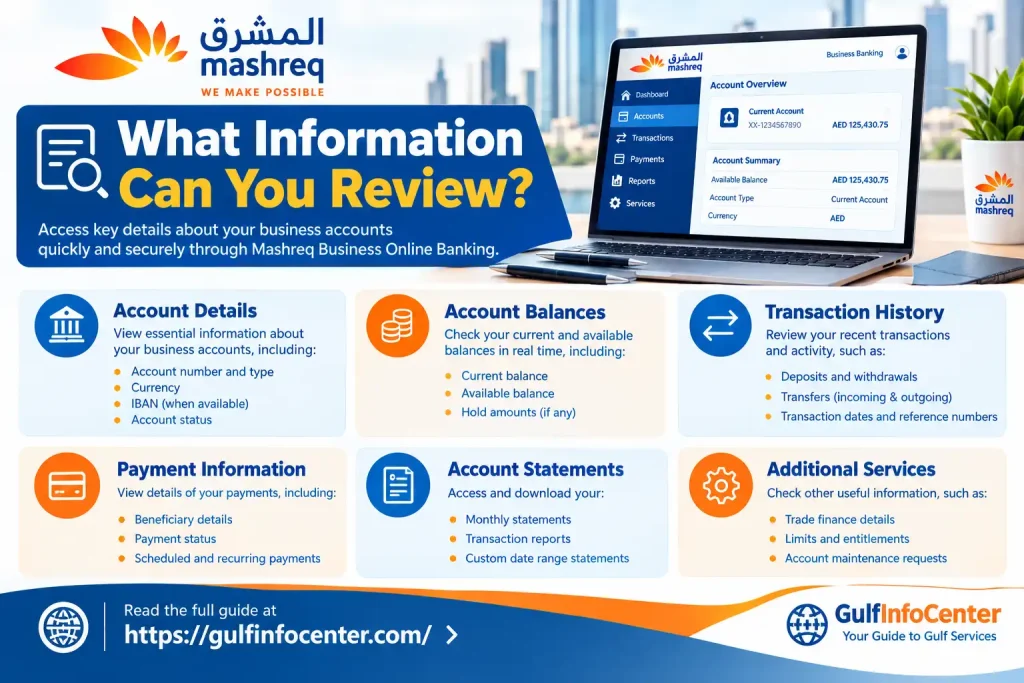
What Information Can You Review?
Depending on your banking services and access rights, the portal may display:
Keep in mind that your account balance and available funds may differ because of pending transactions, account holds, or other adjustments.
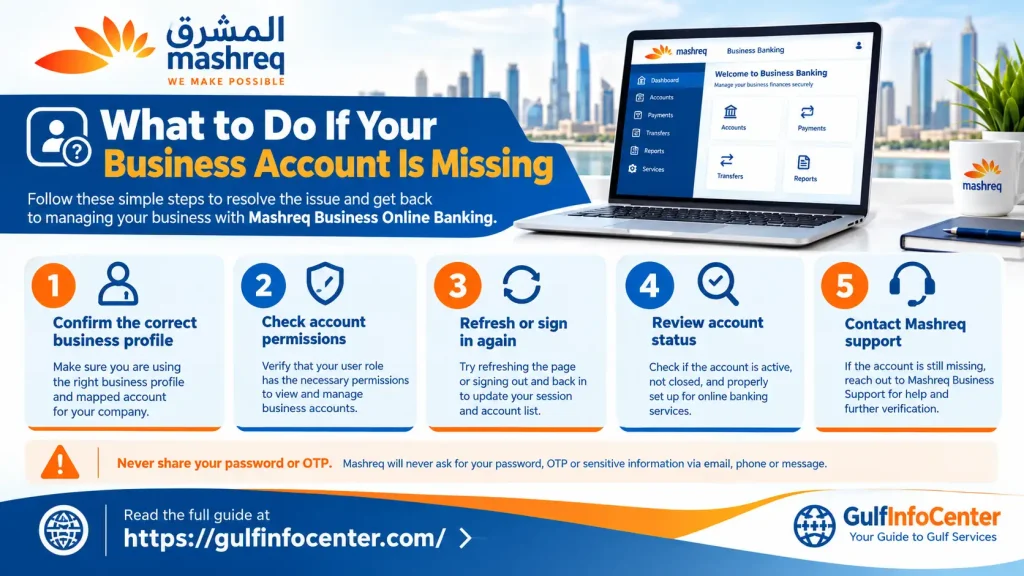
What to Do If Your Business Account Is Missing
If an expected account does not appear after login, first confirm that you have selected the correct company profile and are using your authorised User ID. If the issue continues, contact Mashreq Business Banking for assistance rather than creating another profile or changing company information without approval.
How to Complete Online Transactions Through Mashreq Biz
Mashreq Biz allows eligible business customers to carry out supported financial transactions online. The available options depend on the company’s banking services, account configuration, and the permissions assigned to each user.
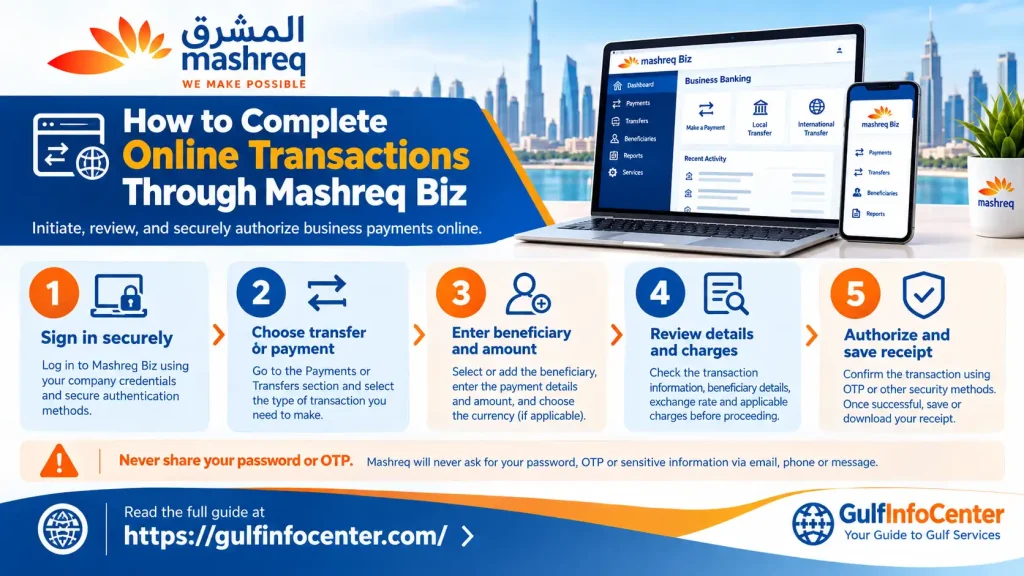
Step 1: Sign in to your account
Open the official mashreq business online sign on Banking portal and log in using your authorised credentials.
Step 2: Choose a transaction service
From the dashboard, open the relevant payment, transfer, or other available transaction option.
Step 3: Enter the required information
Depending on the transaction type, you may need to provide the beneficiary’s details, destination account number or IBAN, payment amount, currency, and transaction reference.
Step 4: Review and authorise the transaction
Check all details carefully, including the recipient, amount, and any displayed charges. Complete the required verification and approval steps before proceeding.
Step 5: Confirm the transaction status
Check the confirmation message or transaction history to see the latest status. Keep the transaction reference number if one is provided.
How Business Transaction Approvals Work
Companies may assign different responsibilities to employees based on their banking arrangements. A transaction might require preparation by one user and approval by another before it can proceed.
| User role | Typical responsibility |
|---|---|
| Initiator | Enters payment information and prepares the transaction. |
| Approver or authoriser | Reviews and approves transactions within their assigned authority. |
| Administrator | May manage user accounts and access permissions, depending on the company’s setup. |
Important: Submitting a transaction does not necessarily mean the payment has been completed. Check its status and confirm that all required approvals have been provided.
How to Sign In to Mashreq Business Online Banking
Accessing your Mashreq business account starts with the bank’s official online banking portal. Keep your business login details ready and complete any security checks required to reach your dashboard.
Step 1: Open the official login page
Visit the Mashreq Business Online Banking portal. Before entering any information, check the website address to ensure you are using the legitimate banking service.
Step 2: Enter your business login details
Provide the User ID and password associated with your authorised business banking profile. Use the credentials issued or activated through Mashreq.
Step 3: Complete the security check
If the bank requests additional authentication, follow the on-screen instructions. This may involve a one-time password (OTP) or another approved verification method.
Step 4: Open your business banking dashboard
Once your login is successful, review the accounts and banking services available under your assigned user permissions. If you are redirected to an updated mashreq online business banking Biz login page, follow the instructions shown on the official website.
Security reminder: Never share your password or OTP with anyone, and avoid signing in through links received from unverified messages.
Payment Services Available Through Mashreq Business Banking
Mashreq’s digital business banking services may provide access to different payment and transfer options. Availability varies according to the business account and the services activated by the bank.
Common Business Payment Options
| Service | What it is used for |
|---|---|
| Business fund transfers | Move money through supported banking transfer options. |
| Beneficiary management | Add or manage payment recipients when the feature is available. |
| Bill payments | Pay eligible bills through supported payment services. |
| Bulk payments | Process multiple payments if the service is enabled for the account. |
| Transaction approvals | Review and authorise pending payments according to company rules. |
| Payment history | Review available payment records and transaction statuses. |
How to Make a Business Payment
Security tip: Verify beneficiary details independently before transferring funds. Be particularly cautious if a supplier requests a change to their bank account by email. Fraudulent messages can imitate genuine businesses, so confirm any changes through a trusted contact method before authorising payment.
Mashreq Business Online Login Troubleshooting
If you cannot access your account or complete a transaction, use the following checklist.
| Problem | What to do |
|---|---|
| Incorrect User ID or password | Check for typing errors, capitalization, and spaces. Enter the credentials associated with your business profile. |
| Forgotten password | Use the official recovery option if available, or contact Mashreq Business Banking for assistance. |
| OTP not received | Check your registered mobile number, network reception, and SMS availability. Request another code only through the official process. |
| Account access restricted | Stop repeated login attempts and contact the bank to determine whether the account needs assistance or reactivation. |
| Dashboard or page not loading | Refresh the page, try an updated browser, or test a stable internet connection. |
| Account information missing | Confirm the correct company profile and contact the bank if the account remains unavailable. |
| Payment pending | Review the transaction history and required approvals before attempting the payment again. |
| Transaction declined | Check the displayed error, account balance, permissions, and transaction limits where available. |
| Old login page or bookmark | Open the official Mashreq business banking website and follow any redirection instructions. |
Recovering Access to Your Mashreq Business Account
If you are unable to log in, visit the official Mashreq Business Banking portal and check whether a password reset or credential recovery option is available. Follow the bank’s verification instructions to restore access. If online recovery is not offered, contact Mashreq Business Banking for help.
Once you regain access, set a strong, unique password and review your recent account activity for unfamiliar transactions. Never share your password, one-time password (OTP), or authentication token with anyone claiming to be bank support.
Contacting Mashreq Business Banking Support
For unresolved login or account access problems, use Mashreq’s official support resources:
The supplied information lists +971 4 424 4763 as a Business Banking support number. Verify the number on Mashreq’s official website before calling, as contact details may change.
Essential Security Practices for Business Banking
Protecting a business banking account requires careful management of login credentials, user permissions, and payment approvals.
Before retrying a failed payment: Check the transaction history and current status first. The payment may already be processing, and submitting it again could result in a duplicate transaction.
FAQs
Final Thoughts
mashreq business online sign on helps eligible businesses manage account information, payments, and supported transactions digitally. To use it effectively, start at the official login portal, protect your credentials, verify payment details, and check transaction statuses before repeating a request.
If you experience persistent login or payment problems, contact Mashreq through its official Business Banking support channels rather than relying on unofficial websites or third-party recovery services.


