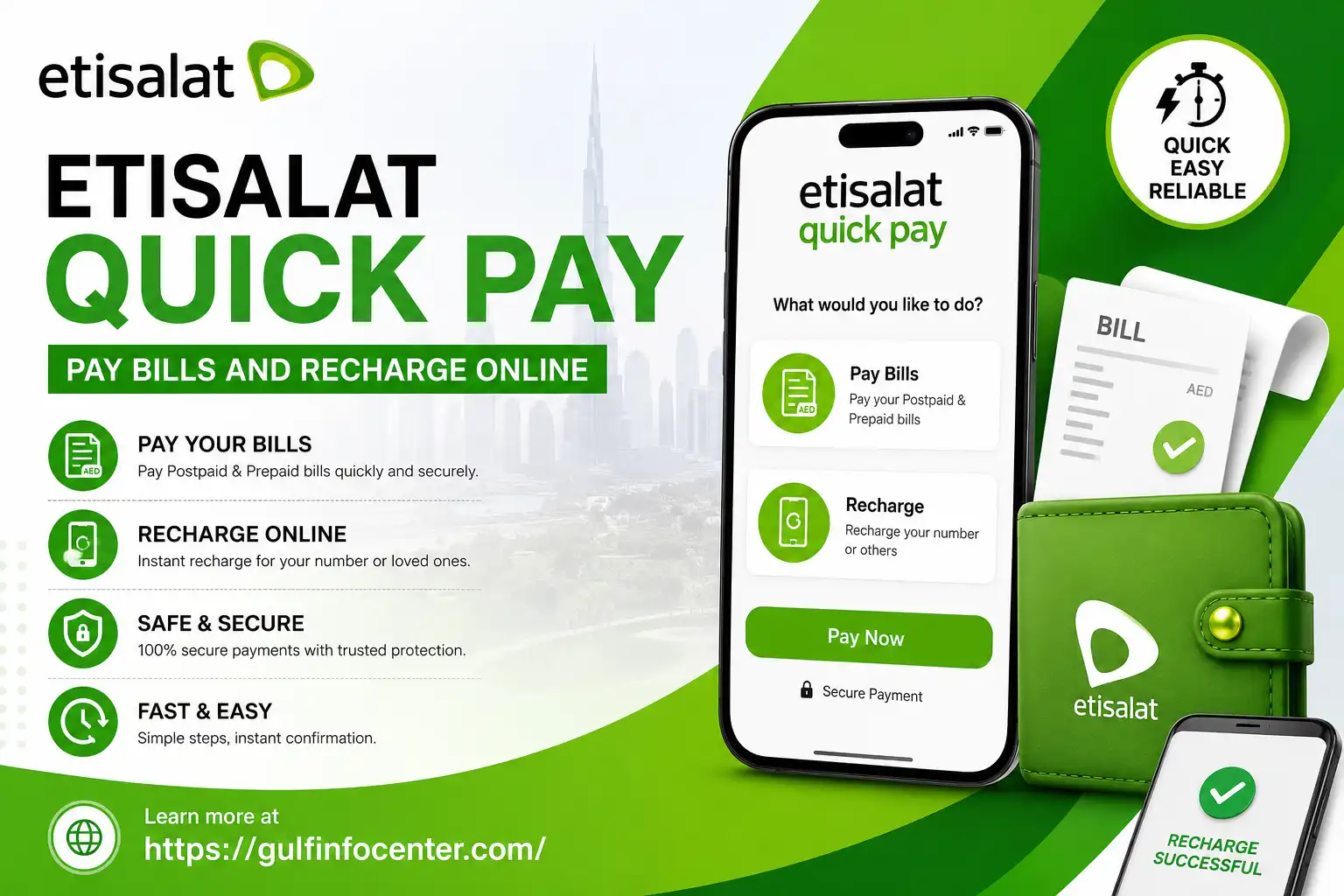
Etisalat Quick Pay: Pay Bills and Recharge Online

Managing an e& UAE mobile payment does not always require a full account-management process. Etisalat Quick Pay provides a direct way for eligible customers to pay outstanding bills or recharge prepaid services online.

The options available may depend on the type of service, account, or mobile number you enter. This guide covers bill payments, prepaid recharge, account-number payments, available payment methods, common problems, and practical troubleshooting.

What Is Etisalat Quick Pay?

Etisalat Quick Pay is an online payment service provided through e& UAE. It allows eligible customers to make payments for postpaid services or add credit to prepaid mobile numbers without necessarily following the standard account-management journey.

Depending on the service, the payment page may ask for an account number, mobile number, or another identifier before displaying the available options.

Before entering any personal or payment information, always make sure you are using the official e& UAE payment page.

Paying an Etisalat Postpaid Bill

If you have an outstanding balance on an eligible postpaid service, you can use the Quick Pay process to make a payment online.
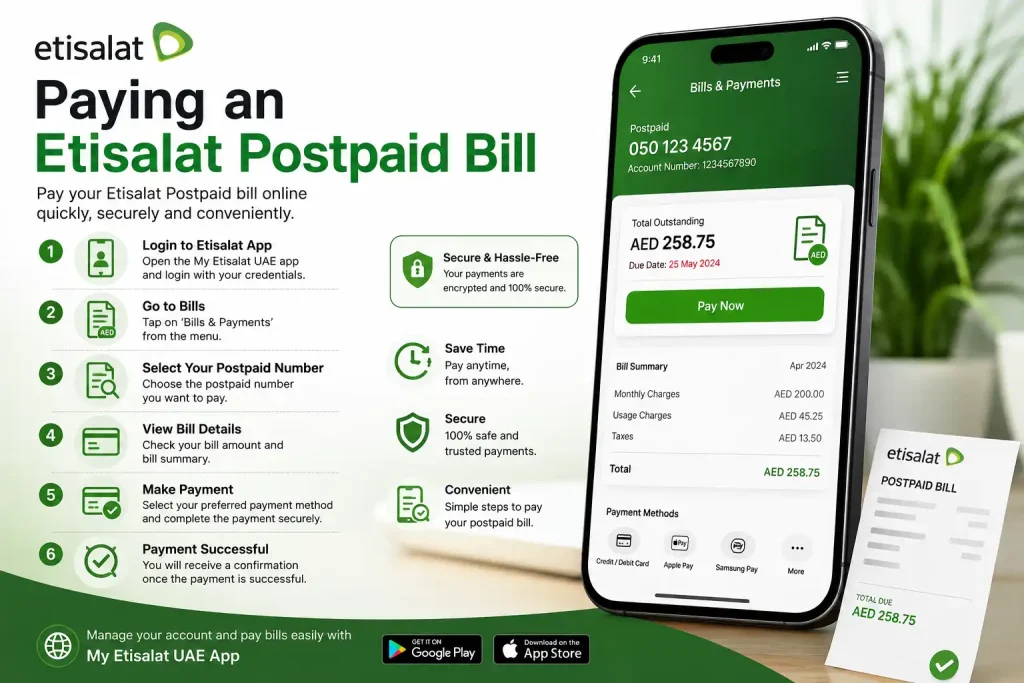
Enter Your Service Details

Begin by entering the information requested by the payment system. This may include:

  • Your e& or Etisalat account number
  • A registered mobile number
  • Another service identifier required for the account

Check every digit before continuing. Entering the wrong number can result in retrieving the wrong account or creating problems with the payment.
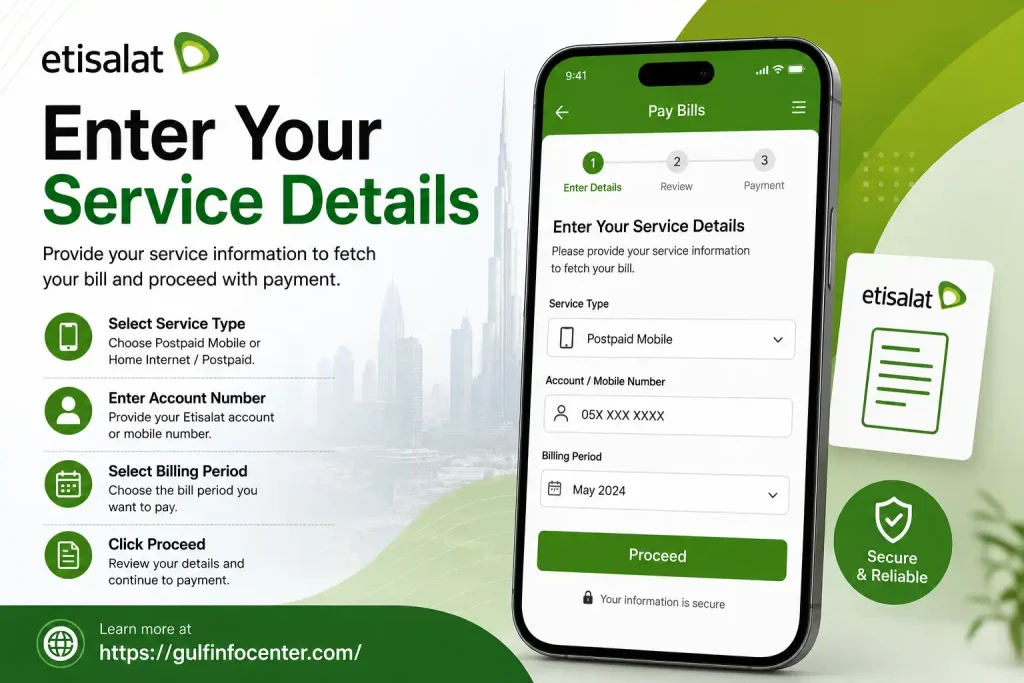
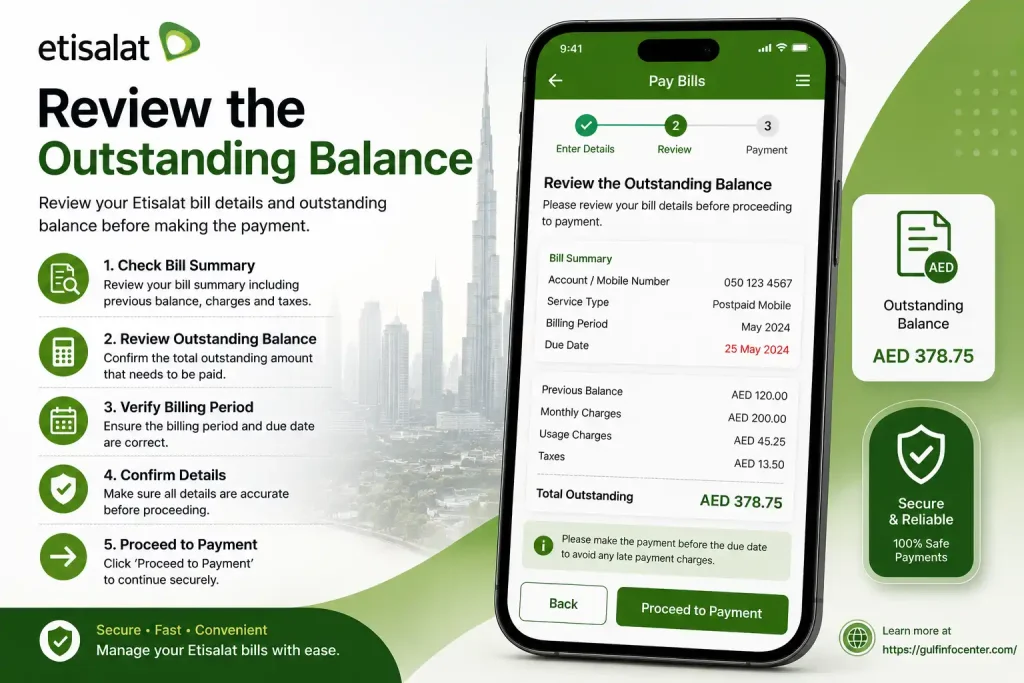
Review the Outstanding Balance

Once the system identifies the account, check the information displayed on the screen. Depending on the service, you may see:

  • Account or service information
  • The current outstanding balance
  • The amount available for payment

Do not continue blindly. Confirm that the displayed account belongs to the service you intend to pay.
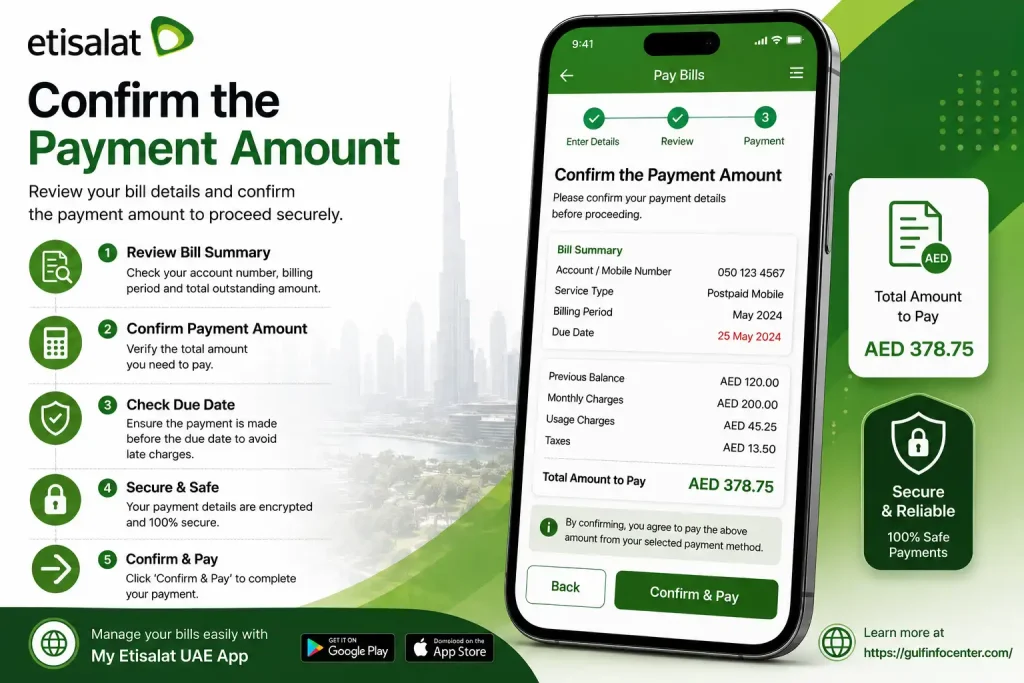
Confirm the Payment Amount

Some payment screens may allow you to choose or enter the amount you want to pay.

Before proceeding:

  • Check the amount carefully
  • Make sure it follows any restrictions shown by the system
  • Confirm that you are paying the correct account

A small typing mistake can create an unnecessary payment problem.
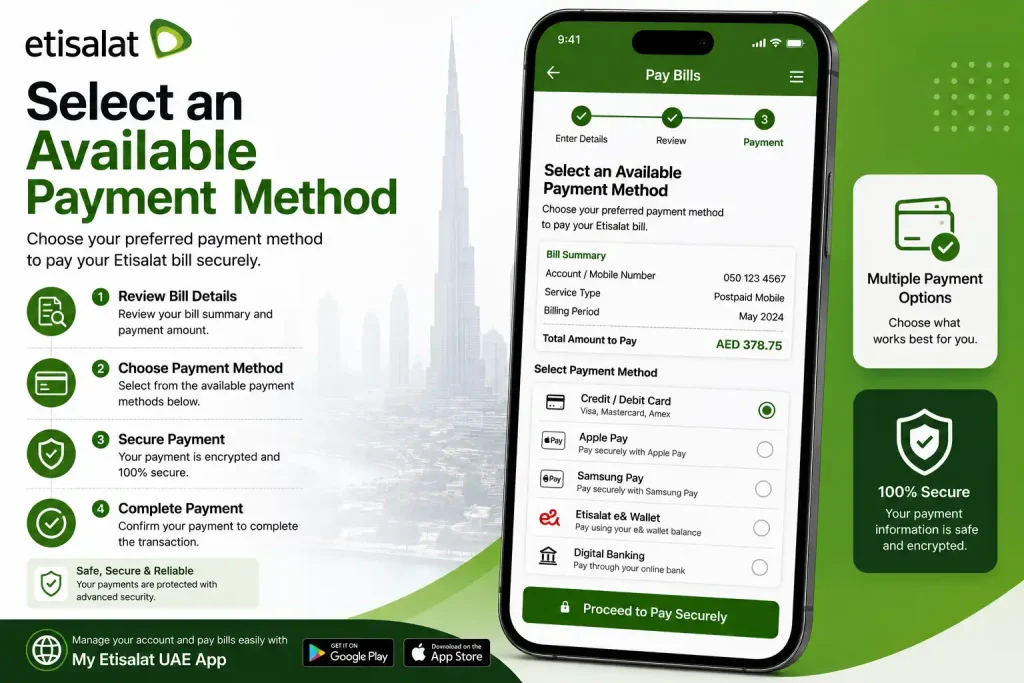
Select an Available Payment Method

The payment options shown can vary according to the service and current Quick Pay system.

Previous e& Quick Pay documentation has included methods such as:

  • Online card payments
  • Online bank payment or transfer options

Only rely on the payment methods currently displayed on the official payment screen.
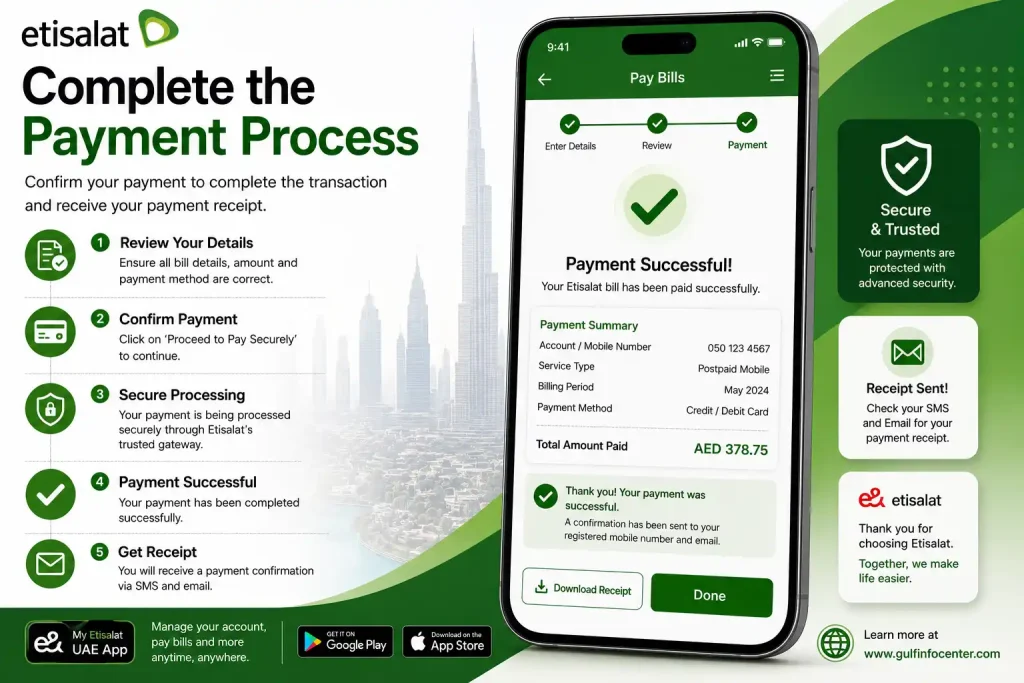
Complete the Payment Process

Follow the instructions provided by the payment gateway. The process may involve entering your payment details and completing security verification requested by your bank.

You may need to:

  1. Provide the required payment information.
  2. Approve the transaction through your bank.
  3. Complete OTP, 3D Secure, or another authentication process.
  4. Wait for the transaction result.

Avoid closing the browser or refreshing the page while the payment is still being processed.
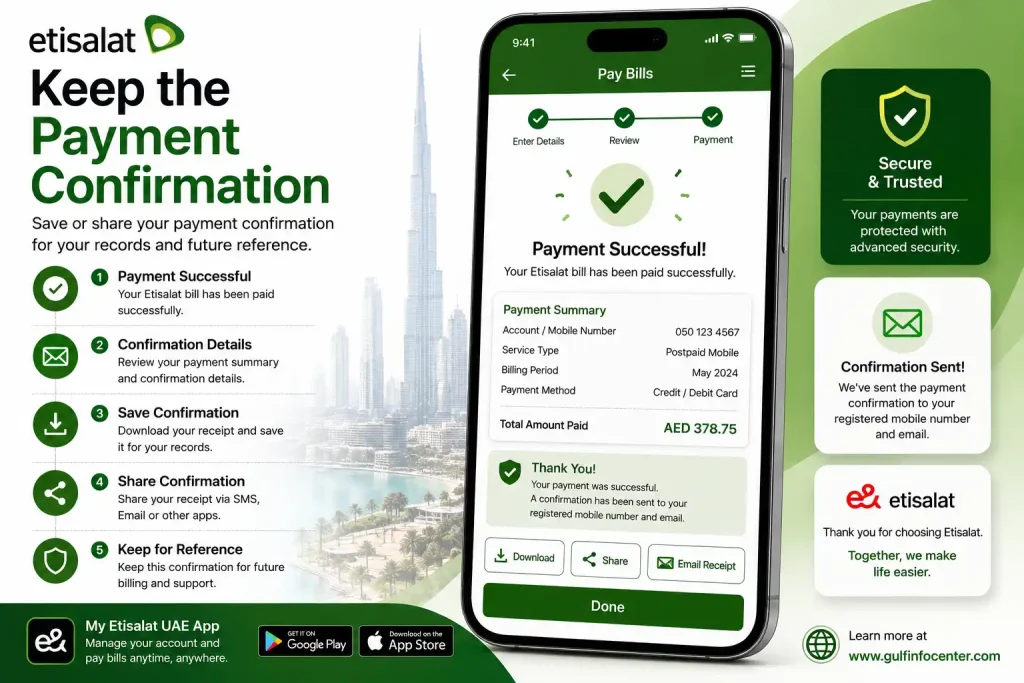
Keep the Payment Confirmation

After the transaction is successful, save evidence of the payment.

Keep:

  • The transaction or reference number
  • A screenshot of the confirmation page
  • Your bank’s transaction record

This information becomes important if the money is deducted but the payment does not immediately appear against your e& account.
How to Recharge an Etisalat Prepaid Number Online

Eligible prepaid customers can recharge their mobile balance through e& online services.

Start the Online Recharge Process

Open the official e& payment or recharge service and choose the relevant prepaid option if more than one service is displayed.

Enter the Mobile Number Carefully

Type the prepaid number that should receive the recharge.

Before submitting it, check:

  • The number format
  • Every digit of the mobile number
  • Whether the number belongs to the intended recipient

Common Mistake

Sending a recharge to the wrong mobile number can be difficult to reverse after the transaction has been completed. Verification before payment is far easier than trying to fix the mistake afterwards.

Choose the Recharge Value

Select one of the available recharge amounts. If the service allows a custom amount, enter the required value carefully before continuing.

Proceed With an Available Payment Option

Choose a payment method offered by the official system and provide the required information.

The available options may vary depending on the service and current payment setup.

Complete Bank Verification

Your bank may require an additional security step before approving the transaction.

This could include:

  • An OTP
  • Approval through your banking application
  • 3D Secure authentication

Complete the verification process and avoid refreshing or closing the payment page before receiving the final result.

Confirm That the Recharge Was Successful

Once the payment has been processed:

  • Check the transaction status
  • Save the payment reference
  • Confirm that the prepaid balance has been updated

Official prepaid terms have also listed other recharge methods, including calling 120, using a recharge-card code through **121[card number]#**, and using the e& mobile application.

Using an Account Number to Make a Payment

Where the Quick Pay system accepts an account number, the general payment process involves identifying the account first and then confirming the payment.

StageWhat You Need to Do
1Open the Quick Pay service
2Select the relevant payment option
3Enter the account number
4Check the account information retrieved
5Review the outstanding balance
6Confirm or enter the payment amount
7Select an available payment method
8Complete the required bank verification
9Save the transaction reference

Business Quick Pay documentation has previously described a process in which an account number is used to retrieve the outstanding amount before payment is completed.

Payment and Recharge Options

The exact methods available are not always the same for every customer or service. Depending on your account, the following channels may be available.

Payment or Recharge MethodTypical Purpose
Online card paymentPaying bills or recharging online
Online bank paymentAvailable for certain payment services
e& mobile appManaging and recharging eligible services
Recharge cardAdding credit to prepaid services
Online bankingPayment or recharge through supported banks
Physical payment channelsApproved retail locations, payment machines, and similar channels

e& documentation has listed multiple payment channels, including online services, banking options, retail locations, and cash payment machines. The actual method available depends on the specific service.

Etisalat Quick Pay Problems and Solutions

Online payments occasionally take time to update or fail because of banking or technical issues. The important thing is not to create a second problem by repeatedly submitting the same payment.

Money Was Deducted but the Bill Still Shows as Unpaid

Do not immediately submit another payment.

Instead:

  1. Check the transaction in your bank account.
  2. Keep the payment or transaction ID.
  3. Allow time for the payment status to update.
  4. Check your e& account again.
  5. Contact official e& support if the transaction remains unresolved.

Important Warning

A pending payment is not automatically a failed payment. Paying again before checking the original transaction can result in a duplicate payment.

The Payment Failed

Several issues can prevent an online payment from being completed, including:

  • Incorrect card information
  • Insufficient funds or available credit
  • A security restriction from your bank
  • Failed OTP or authentication
  • An expired payment session
  • A temporary technical issue

What to Do

Check the payment details first and confirm that sufficient funds or credit are available.

If bank authentication is failing, contact the bank rather than repeatedly attempting the same transaction. You can also start a new payment session or use another official payment method if one is available.

The Wrong Account or Mobile Number Was Entered

If you notice the mistake before completing the payment, stop the transaction immediately and correct the information.

Always check:

  • Account number
  • Mobile number
  • Payment amount
  • Service details

If the transaction has already been completed, keep the payment reference and contact official e& support as soon as possible.

The Quick Pay Page Is Not Opening or Loading Properly

Try these basic checks:

  1. Refresh the page once.
  2. Open the service in another browser.
  3. Clear the browser cache if necessary.
  4. Turn off unnecessary VPN connections or browser extensions.
  5. Try another internet connection.
  6. Use the official e& application or another approved payment channel if the problem continues.

Repeatedly refreshing an active payment page is not a smart troubleshooting method. Start a new session if the existing one has expired or stopped responding.

Information to Collect Before Contacting Support

If you need help with a payment issue, gather the relevant information before contacting support.

Prepare:

  • The mobile or account number involved
  • The payment date
  • The approximate transaction time
  • The amount paid
  • Your bank transaction ID
  • The Quick Pay reference number
  • A screenshot of the confirmation or error message

Never provide your full card number, CVV, password, or OTP to customer support.

FAQs

You can pay your Etisalat (e&) bill online through the Quick Pay service without logging in to your account.

Steps to Pay Your Bill

  1. Open the Etisalat Quick Pay page
    Visit the official Etisalat Quick Pay service.
  2. Enter your account details
    Enter your Etisalat account number, eLife account number, or mobile number.
  3. Check your outstanding bill
    The system will display the amount currently due for payment.
  4. Enter your payment details
    Choose the payment option and enter your eligible credit or debit card information.
  5. Complete the payment
    Review the payment details and confirm the transaction. After successful payment, you should receive a confirmation.

Etisalat Quick Pay provides a convenient way to pay your mobile, eLife, or other eligible Etisalat services without needing to sign in to your account.

Yes, Etisalat Quick Pay is generally secure when you access it through the official e& UAE website.

Security Features

  • Secure Payment Processing: Payment information is transmitted through secure payment systems designed to protect your card details during the transaction.
  • Bank Verification: Depending on your bank and card, you may be required to complete additional authentication, such as a One-Time Password (OTP) or 3D Secure verification.
  • No Account Login Required: Quick Pay allows you to make eligible payments without signing in to your e& account.

Safety Tips

  • Use the Official Website: Always access Quick Pay through the official e& UAE website. Avoid clicking suspicious links in emails, messages, or advertisements.
  • Protect Your Banking Information: Never share your card PIN, CVV, password, or OTP with anyone.
  • Watch for Phishing Scams: Be cautious of messages or calls claiming to be from e& and requesting confidential banking information.

Using the official Etisalat Quick Pay service and following basic online payment safety practices can help you make your bill payment securely.

Etisalat (e&) may provide a payment period for customers to settle their monthly postpaid or eLife bills before service restrictions are applied. However, the exact due date and grace period can depend on your service and account.

In general, you should check the payment due date shown on your bill and make the payment before that date to avoid possible service interruptions or additional charges.

What Happens If You Pay Late?

If your bill remains unpaid after the due date, e& may take action such as:

  • Restricting some services.
  • Suspending your mobile or home services.
  • Applying applicable reconnection charges after service suspension.

Important Tip

Do not rely only on a general “15-day grace period.” Billing dates, due dates, suspension policies, and reconnection charges may vary depending on your e& service or account. Always check the due date displayed on your latest bill or contact e& UAE for the current payment policy.

You can pay an outstanding bill through the e& UAE app or the Quick Pay service.

You can pay your Etisalat (e&) bill or recharge eligible services using several online and offline payment options.

Pay Using Etisalat Quick Pay

Etisalat Quick Pay allows you to make a payment without logging in to your account.

  1. Open the Quick Pay service
    Visit the official e& UAE Quick Pay page.
  2. Enter your service details
    Provide your mobile number, landline number, or eLife account information.
  3. Check the payment amount
    Review the outstanding bill or recharge amount displayed on the screen.
  4. Enter your payment information
    Add your eligible credit or debit card details.
  5. Confirm your payment
    Review the information and complete the transaction.

Other Ways to Pay Your Etisalat Bill

You may also be able to pay or manage your services through:

  • e& UAE App: View bills, manage services, and make payments after signing in.
  • AutoPay: Set up automatic bill payments using an eligible payment method.
  • Customer Support: Use official e& customer service channels for payment assistance.
  • Payment Machines or Other Approved Channels: Depending on availability, you may find additional payment options through e& or participating service providers.

For the fastest option without signing in, Etisalat Quick Pay is a convenient way to check and pay an eligible outstanding bill online.

You can check your Etisalat (e&) bill online using your account number through the Quick Pay service.

Check Your Bill Through Quick Pay

  1. Open the Etisalat Quick Pay page
    Visit the official e& UAE Quick Pay service.
  2. Choose the account number option
    Select the option that allows you to search using your account number or account ID, if available.
  3. Enter your account number
    Provide the required account details.
  4. View your outstanding amount
    The system will display the available billing or outstanding payment information associated with your account.
  5. Pay your bill if needed
    If your bill is available for payment, you can continue and complete the transaction using an eligible payment method.

Other Ways to Check Your Etisalat Bill

You may also be able to check your billing information through:

  • e& UAE App: Log in to view your account, bills, and payment information.
  • Monthly e-Bill: Check the bill sent to your registered email address.
  • Official Customer Support: Contact e& through its official support channels for help with your account or billing information.

Always use the official e& UAE website or app when checking your bill or making a payment.

You can pay your Etisalat (e&) bill online through the official e& UAE website, mobile app, or the Quick Pay service.

Pay Your Bill Using Etisalat Quick Pay

Quick Pay allows you to check and pay an eligible bill without logging in to your account.

  1. Open the Quick Pay page
    Visit the official e& UAE Quick Pay service.
  2. Enter your account details
    Provide the required information, such as your mobile number, account number, or eLife account details.
  3. Check your outstanding bill
    Review the payment amount displayed for your account.
  4. Choose a payment method
    Enter the required details for an eligible payment method.
  5. Complete the payment
    Review the information, complete any required verification, and confirm the transaction.

Pay Through the e& UAE App

You can also log in to the e& UAE app to view your billing information, manage your services, and make an eligible payment.

Always use official e& UAE payment channels and carefully review the payment details before confirming your transaction.

Etisalat, now operating as e& UAE, does not have one fixed per-minute calling rate for all customers. The cost depends on your mobile plan, whether you are using a prepaid or postpaid service, your available call allowance, and the destination you are calling.

Local Call Charges

Local call rates may vary depending on your package.

  • In-package calls: Calls may be deducted from your included monthly or daily minutes.
  • Out-of-package calls: A standard per-minute or per-second charge may apply once your included minutes are used.
  • Prepaid services: The calling rate can vary depending on the prepaid plan and any active calling package.

International Call Charges

International calling costs depend on the country you are calling and your active international calling package. e& may offer special international bundles or plans that provide lower rates for selected destinations.

Important

Do not assume that rates such as AED 0.38 per minute or AED 2.40 per minute apply to every Etisalat customer. Call charges can vary by plan and may change over time.

For the most accurate rate, check the details of your specific e& mobile plan or active calling package before making a call.

If you do not pay your Etisalat (e&) bill by the due date, your account may be subject to service restrictions or suspension.

Possible Consequences of Late Payment

Depending on your account, service, and the length of time the bill remains unpaid, e& may take the following actions:

  • Payment reminders: You may receive notifications reminding you to pay the outstanding amount.
  • Service restrictions: Some services may be restricted if payment is not made.
  • Service suspension: Continued non-payment may result in the temporary suspension of your mobile, internet, or other eligible services.
  • Reconnection charges: If your service is suspended, applicable charges may be required to restore it after payment.
  • Further account action: Long-term unpaid balances may lead to additional collection or account-related action, depending on the applicable terms and policies.

What Should You Do?

The best option is to pay the outstanding amount as soon as possible and check your account or latest bill for the current payment status.

You can use the e& UAE app or Etisalat Quick Pay to check and pay an eligible outstanding bill.

Important

Do not assume that a specific late fee, reconnection charge, credit score impact, or legal consequence applies automatically to every unpaid Etisalat bill. These actions can depend on the account, service type, outstanding balance, and applicable e& policies.

Whether you can pay only part of your Etisalat (e&) bill may depend on the payment channel, your account type, and the options available for your service.

Making a Partial Payment

If the payment page allows you to enter a custom payment amount, you may be able to pay part of your outstanding balance instead of the full bill. You can check the available payment options through the e& UAE app or official online payment services.

Important Things to Know

Paying only part of your bill does not remove the remaining balance. The unpaid amount may continue to appear on your account and could affect your service if it remains outstanding beyond the applicable payment period.

For this reason, paying half of the bill does not automatically guarantee that your service will remain active.

Best Option

Check your latest bill and the available payment options before making a partial payment. If you are unsure whether a partial payment is accepted for your account, contact e& through an official support channel.

Final Thoughts

Etisalat Quick Pay offers a convenient way to manage eligible bill payments and prepaid recharges online. Before confirming any transaction, always check the mobile or account number, review the payment amount, and use only official e& payment channels.

If a payment appears to be pending or takes time to update, do not immediately make another payment. Save the transaction reference, check the payment status, and contact official e& support if the issue remains unresolved.


https://gulfinfocenter.com

GulfInfoCenter Editorial Team

The GulfInfoCenter Editorial Team publishes accurate, up-to-date guides on government, education, finance, immigration, employment, and public services across the United Arab Emirates, Kuwait, and Qatar. Our content is carefully researched and references official sources whenever possible, helping residents, citizens, students, and visitors access essential services with confidence.

Articles: 58

Leave a Reply

Your email address will not be published. Required fields are marked *