
Planning a trip to Qatar and need an online visitor visa? The Hayya Visa Qatar system allows eligible travellers to apply for an e-visa online instead of relying on a traditional paper-based process. Depending on your nationality, residence status and travel purpose, you may be offered categories such as the A1 Tourist Visa, A2 GCC Resident Visa, A3 Visa with ETA or A4 Companion of GCC Citizen Visa.
Important: Visa eligibility, required documents, fees and permitted stay can differ by visa category and nationality. Always check the option available for your circumstances on the official Hayya Portal before submitting an application.
What Is the Hayya Visa?
The Hayya Visa is Qatar’s online visitor e-visa service. Eligible travellers can use the platform to create an account, enter their personal and travel details, upload supporting documents and follow their application online.
Rather than completing the entire process through a traditional paper application, applicants can manage the relevant stages digitally through the Hayya platform. The exact visa option depends on factors such as nationality and residence status.
Hayya Visa Categories Explained
| Category | Who It Is For |
|---|---|
| A1 – Tourist Visa | Travellers visiting Qatar for tourism and leisure |
| A2 – GCC Resident Visa | Residents of GCC countries, regardless of nationality |
| A3 – Visa with ETA | Eligible nationals or residents of specified countries |
| A4 – Companion of GCC Citizen | Eligible companions travelling with GCC citizens |
| F1 – Visa-Free for US Citizens | US passport holders covered by the applicable Hayya category |
The portal also provides a “Which Hayya?” feature to help visitors identify the appropriate visa option based on their nationality and circumstances.
Which Travellers Can Apply for a Hayya Visa?
Your eligibility is mainly determined by your nationality, residence status and reason for travelling to Qatar.
For example, the available options may include:
- A1 for eligible tourists.
- A2 for residents of GCC countries.
- A3 for eligible nationals or residents covered by the ETA category.
- A4 for eligible companions travelling with GCC citizens.
- F1 for US passport holders under the applicable Hayya arrangement.
- GCC nationals generally do not need a visa to enter Qatar and can travel using a passport or GCC ID.
How to Find Your Correct Visa Category
You don’t need to guess which Hayya applies to you.
- Visit the official Hayya Portal.
- Locate the “Which Hayya?” option.
- Enter your nationality.
- Review the category recommended for your circumstances.
- Open the relevant visa option.
- Read its current requirements before beginning the application.
Tip: Check your eligibility before preparing documents or making travel arrangements. The requirements can vary between categories.
Hayya Visa Requirements: Documents You May Need
The documents requested during a Hayya application depend on the visa category you select. The application information indicates that applicants may need personal details, a photograph, passport or identity documentation and accommodation information. Accommodation may involve a hotel reservation or host details, depending on the application.
Common Hayya Visa Requirements
Before starting, prepare the information and documents that may be requested:
- Valid passport
- Passport information
- Recent personal photograph
- Nationality details
- Date of birth
- Contact information
- Accommodation details
- Hotel booking, where applicable
- Host information, where applicable
- GCC residence information for relevant GCC-resident applications
- Any additional supporting documents requested for your selected category
Before Uploading Your Documents
Check every document before submission. Your personal details should match your passport exactly, and uploaded documents should be clear and readable.
A mismatch in your name, passport number or other key information can create problems during processing.
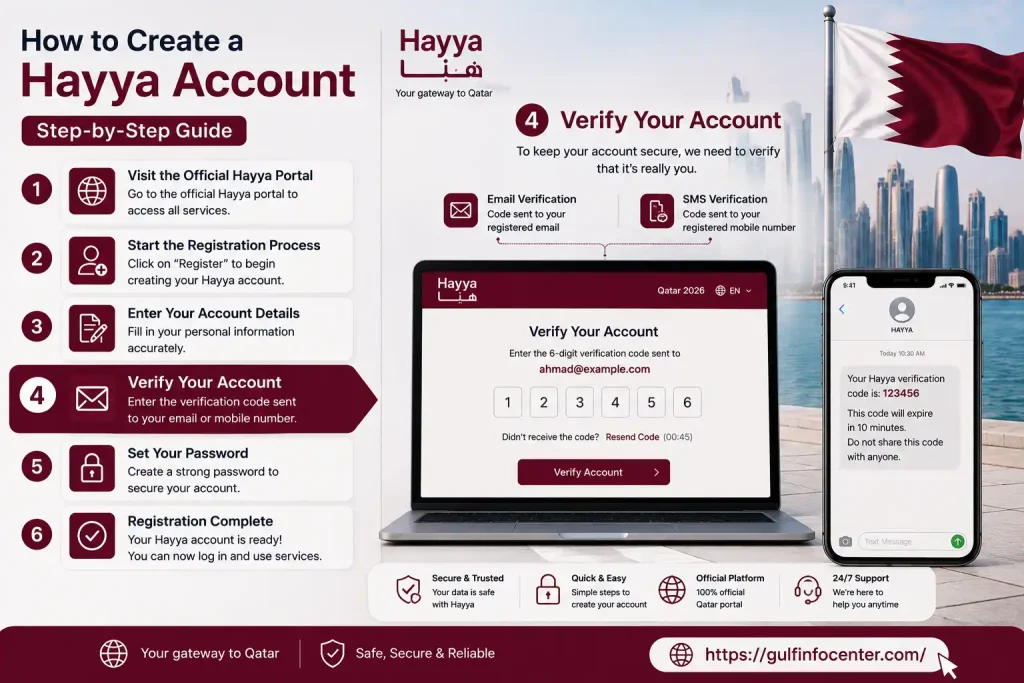
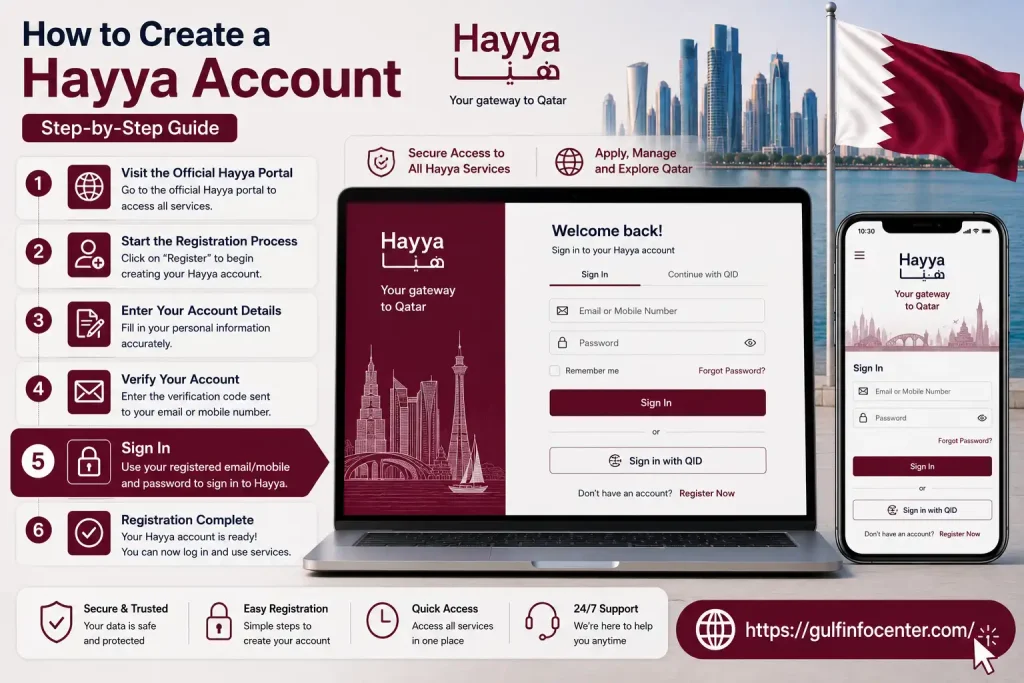
How to Create a Hayya Account
A Hayya account is generally required to manage your online visa application.
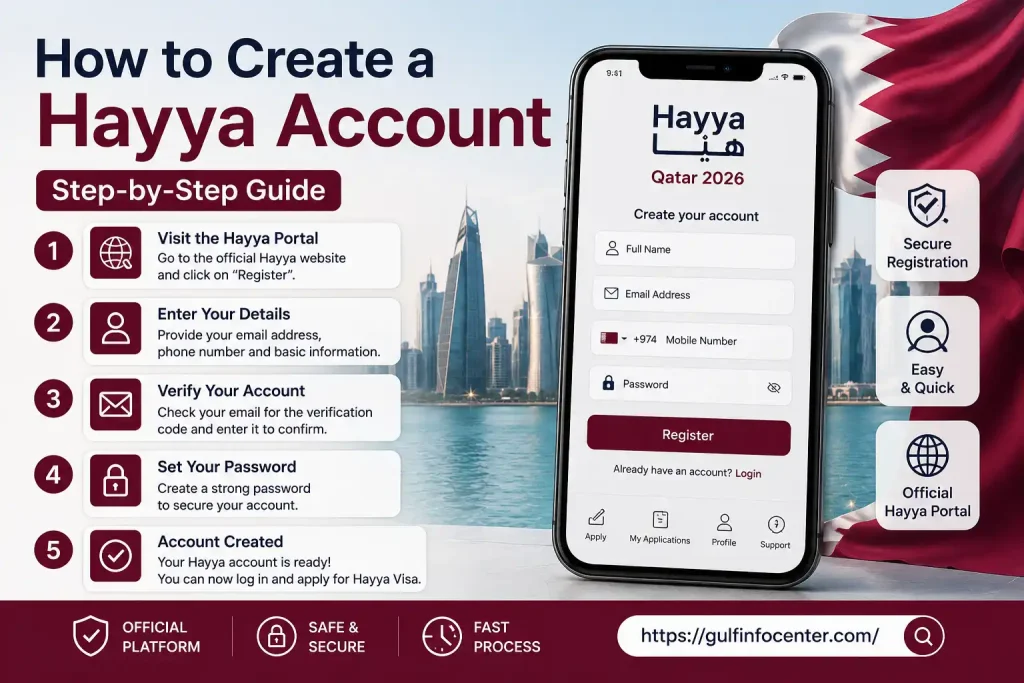
1. Visit the Official Hayya Portal
Open the official Hayya website and use the registration or application option provided there.
Avoid entering passport or personal information into unofficial websites claiming to process Hayya applications.

2. Start the Registration Process
Select the available registration or account-creation option.
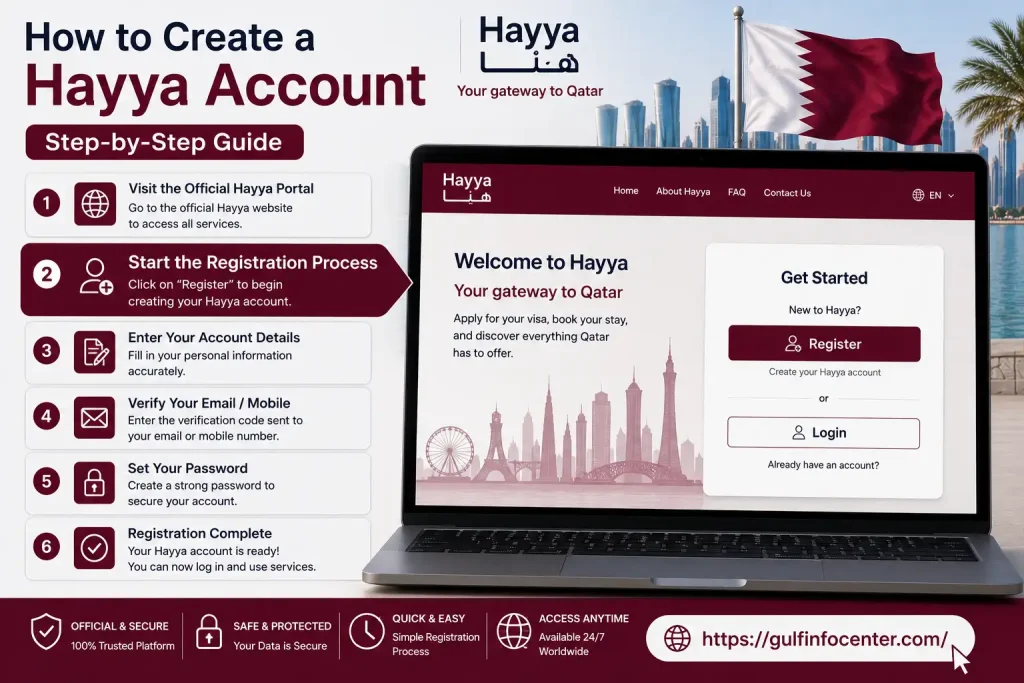
3. Enter Your Account Details
Provide the information requested by the portal. This can include:
- Your name
- Email address
- Mobile or contact details
- Password
- Other account information requested by Hayya
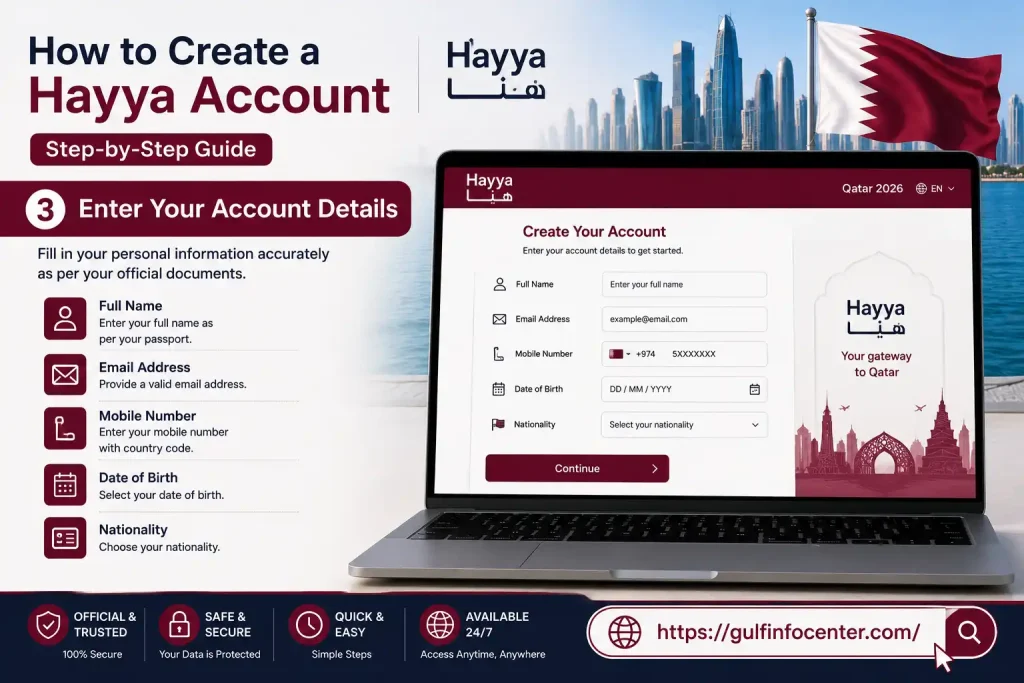
4. Verify Your Account
Complete the verification step shown by the platform.
5. Sign In
Once your account has been created and verified, log in and proceed with your visa application.
Hayya Visa Application Process: Step-by-Step
The Hayya application is completed online through the official portal. The referenced application instructions indicate that the form may take around 5–6 minutes to complete, with the application automatically saving your progress. The sections are completed in the order displayed by the system.
Step 1: Log In to Your Hayya Account
Open the official Hayya Portal and sign in using your registered account details.
Make sure you’re using the official website before entering personal or passport information.
Step 2: Pick the Applicable Visa Type
Select the category that applies to your circumstances.
Depending on your eligibility, this may include:
- A1 Tourist Visa
- A2 GCC Resident Visa
- A3 Visa with ETA
- A4 Companion of GCC Citizen Visa
The available options depend on your nationality and circumstances.
Step 3: Add Your Personal Information
Complete the personal-information section carefully.
You may be asked for:
- Full name
- Date of birth
- Nationality
- Gender
- Passport information
- Contact details
Use the information exactly as it appears on your official travel document.
Step 4: Upload the Required Documents
Upload the documents requested for your selected visa category.
These may include:
- Passport copy
- Personal photograph
- Residence documentation
- Other supporting documents
Make sure each file is complete, readable and suitable for the requirements displayed by the portal.
Step 5: Enter Accommodation Details
Provide information about where you will stay in Qatar.
Depending on your application, this can involve a hotel booking or host information.
Step 6: Check Everything Before Submission
Don’t rush this stage. Review:
- Passport number
- Name spelling
- Nationality
- Date of birth
- Passport expiry date
- Accommodation details
- Uploaded documents
- Contact information
Correct errors before submitting whenever possible.
Step 7: Submit Your Application
After reviewing the information, submit the completed application through Hayya.
Following successful submission, the system provides an entry reference/application number that can be used to track the application.
Step 8: Save Your Application Reference
Keep the reference number somewhere safe.
You may need it later when checking the status of your Hayya application.
Hayya Visa Fees: How Much Does It Cost?
There isn’t one universal fee that should be applied to every Hayya application. Charges can depend on the visa category and rules in effect when you apply.
Hayya’s terms direct applicants to its FAQs for information about charges associated with an application or Hayya ID.
How to Find the Current Hayya Visa Fee
To check the applicable charge:
- Open the official Hayya Portal.
- Select the visa category relevant to you.
- Review the current application requirements.
- Check the fee displayed during the application or in the applicable FAQ.
- Make payment only through the official Hayya process.
Important: Avoid relying on an old fixed fee published on another website. Visa charges and requirements can change.
Hayya Visa Status Check Online
Already submitted your application? You can check your Hayya status online through the official e-visa inquiry service.
The current Hayya status checker offers two ways to search:
- Entry Reference Number
- Passport Number
You must also select your nationality.
How to Check Hayya Visa Status by Passport Number
If you don’t have your entry reference number available, the passport-number option can be useful.
Follow These Steps
Step 1: Open the official Hayya E-Visa inquiry page.
Step 2: Select the search method.
Choose either:
- Entry Reference Number, or
- Passport Number
Step 3: Enter or select your nationality.
Step 4: Submit the inquiry.
Step 5: Review the application details and status shown by the system.
Information Needed for a Hayya Status Check
| Information | Required When |
|---|---|
| Entry Reference Number | Checking with your application reference |
| Passport Number | Checking by passport |
| Nationality | Required for the inquiry |
| Internet connection | Required to access the online service |
Understanding Hayya Visa Application Status
Your application can pass through different stages while it is being processed. The wording displayed in your Hayya account should always be treated as the authoritative status.
| Status | Meaning |
|---|---|
| Submitted | Your application has been successfully submitted |
| Under Review | Your application is being assessed |
| Approved | Your application has been approved |
| Rejected | Your application was not approved |
| Additional Information Required | Hayya needs further information or documents |
What If Your Application Is Rejected?
If an application is rejected, Hayya’s terms state that the applicant may make two further applications, subject to the applicable conditions.
If you entered incorrect information, you must wait for the response to the initial application before submitting another application with corrected information.
What to Do After Your Hayya Visa Is Approved
Once your application is successful, Hayya provides a notification confirming the successful application.
Before travelling, take a few minutes to check your information.
After Approval Checklist
- Sign in to your Hayya account.
- Confirm your visa and application details.
- Keep your approved e-visa information accessible.
- Check your passport and travel arrangements.
- Review Qatar’s current entry requirements before departure.
The Hayya platform also has a mobile application that allows users to manage their e-visa and related travel activities.
Can You Renew or Extend a Hayya Visa?
Extension and renewal aren’t necessarily the same for every Hayya category.
Whether you can extend or renew your visa depends on factors such as:
- Visa category
- Current visa validity
- Applicable immigration rules
- Your individual circumstances
- Qatar’s current government policies
If your permitted stay is approaching its end, check the instructions available through your Hayya account and current official Qatar immigration guidance.
Important: Do not remain in Qatar after your authorised stay has expired unless you have obtained the required permission.
Common Hayya Visa Problems and How to Handle Them
Application Is Taking Too Long
Start by checking your application using your entry reference number or passport number through the official status checker.
Also check:
- Your email inbox
- Your Hayya account
- Any request for additional information or documentation
Passport Details Are Wrong
Incorrect information can affect application processing.
Hayya’s terms state that an application cannot be amended while it is in progress.
For that reason, carefully review your passport information before submitting.
Document Upload Isn’t Working
If the portal rejects an uploaded file, try the following:
- Use a clear document image.
- Make sure the entire document is visible.
- Check the accepted file format and size.
- Avoid blurry photographs.
- Use a simple filename.
- Try another browser or device.
Hayya Status Cannot Be Found
Check each of these details:
- Your reference number is correct.
- Your passport number has been entered correctly.
- Your nationality selection is accurate.
- You’re using the official Hayya status page.
The official inquiry service supports searches using either a reference number or passport number.
Hayya Application Was Rejected
Read the notification or reason provided by Hayya.
If you’re eligible to apply again, follow the instructions displayed by the portal and correct or provide any information requested. Hayya’s terms allow two further applications after rejection, subject to the stated conditions.
FAQs
Final Thoughts
The Hayya Qatar 2026 system makes it possible for eligible travelers to manage their Qatar visa application online. The Hayya A1 Visa is designed for tourism, while the A2 GCC Resident Visa provides a separate route for eligible GCC residents. Before applying, check your current eligibility, prepare the required documents, enter your information carefully and keep your application reference number. Most importantly, verify your Hayya validity and application status through the official Hayya Portal before traveling.


