

Zain Kuwait offers digital payment services that enable customers to settle postpaid mobile bills, top up prepaid lines, and manage their mobile accounts online. Through the official website or mobile app, users can access available payment options and handle routine account transactions. The MyZain Quick Pay service also provides a more direct way to pay eligible bills without accessing the full account dashboard.
What Is Zain Pay?
Zain Pay can refer to two different services, so it is important to distinguish them:
Zain Kuwait offers two distinct services that users should not confuse. Zain bill payment allows customers to pay postpaid mobile bills or recharge prepaid lines through the operator’s official payment channels. Zain Pay mobile billing, on the other hand, lets eligible users pay for supported digital content by charging the purchase to a Zain postpaid account or deducting it from an eeZee prepaid balance, without using a separate credit card. Availability depends on the service and its supported payment options.
This guide focuses on Zain Kuwait bill payments, available payment methods, transaction status checks, and practical steps for troubleshooting unsuccessful payments.
Readmore:Homepage
How to Pay Your Zain Bill Online
You can pay your Zain Kuwait bill through the official MyZain website by following the steps below. Before submitting a payment, make sure the mobile number and amount due match your account details.

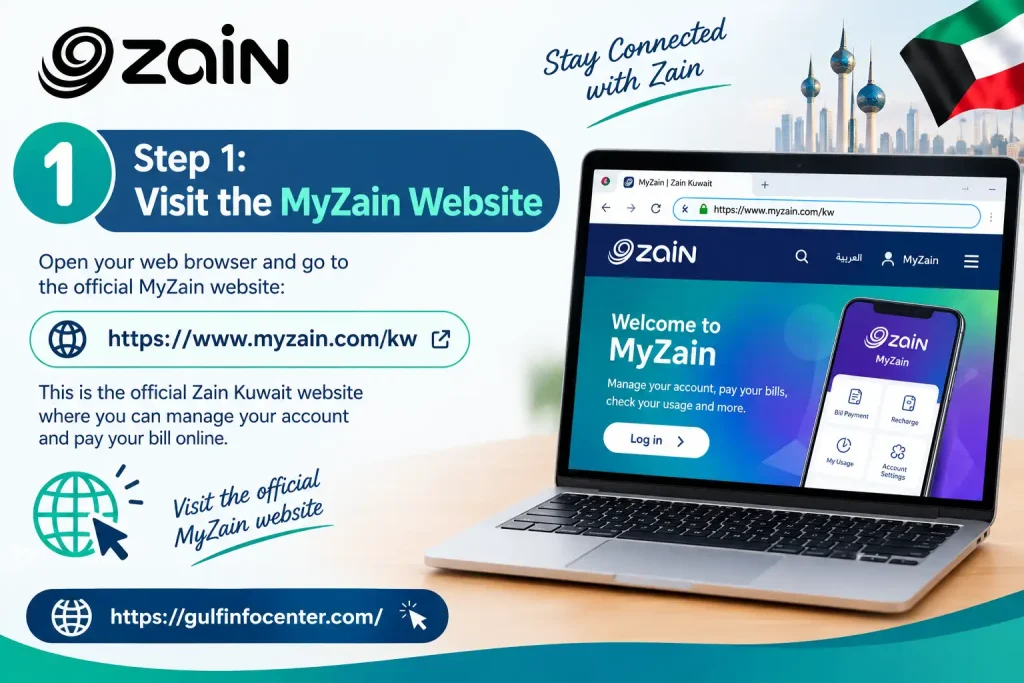
Step 1: Visit the MyZain Website
Open the official MyZain Kuwait website. Verify the website address before entering your account details or payment information.
Step 2: Open Quick Pay
Locate the Quick Pay section and select the available bill-payment option. Choose the relevant service, such as a postpaid mobile line, if it is listed.

Step 3: Enter Your Mobile Number
Provide your Zain postpaid mobile number or the account information requested on the page. Check the details carefully to avoid paying the wrong account.

Step 4: Check the Outstanding Amount
Review the displayed mobile number, unpaid balance, and total payment amount. If any information appears incorrect, stop and verify your account details before continuing.

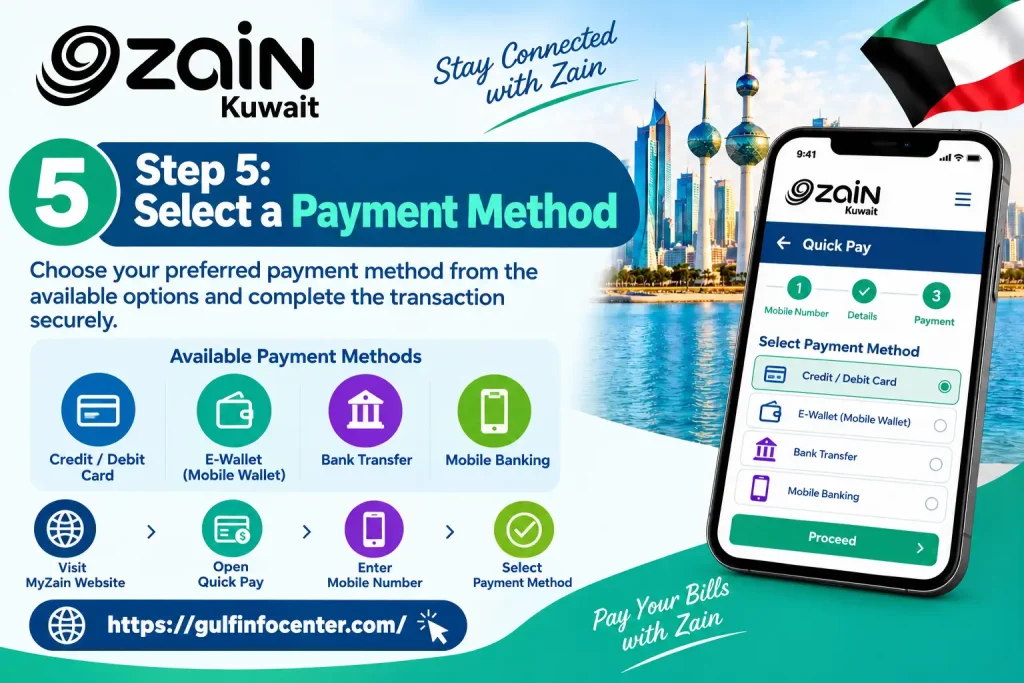
Step 5: Select a Payment Method
Choose from the payment methods presented at checkout. Enter the required details on the authorised payment page and complete any verification requested by your bank.
Step 6: Confirm and Save Your Receipt
Wait for the final payment confirmation or receipt before leaving the page. Save the transaction reference and check your Zain account to confirm that the payment has been recorded.
Note: MyZain’s interface and available payment methods may change. Follow the instructions displayed on the official website and do not assume a payment is successful until confirmation is provided.options actually displayed on the official website.

Zain Kuwait Bill Payment Methods
Zain Kuwait customers can use different channels to pay mobile bills, depending on their account type and the options available to them. Before proceeding, check which methods are supported for your particular service.
| Payment method | How it works |
|---|---|
| Online Quick Pay | Visit MyZain Kuwait and follow the available bill-payment instructions. |
| Zain mobile app | Open the app, look for the payment option, and follow the on-screen steps to complete the transaction. |
| Credit or debit card | Select the card option at checkout and complete any required bank verification. |
| Bank transfer | Follow the instructions on the official Zain bank transfer page and provide any requested transfer details. |
| Auto-pay | If your account is eligible, check MyZain or the mobile app for automatic payment options and review the recurring-payment terms before enabling them. |
Important: Payment methods may vary by service and account. Use the options displayed on Zain’s official payment page rather than assuming every method is available.
How to Check Your Zain Payment Status
After making a payment, confirm that the transaction was completed and that the amount has been applied to your bill.
Zain provides official payment-related information and transaction details. However, a card deduction does not always mean the bill has been settled, as some transactions may be rejected or reversed, and processing can take time.
Troubleshooting Zain Payment Problems
If your Zain bill payment fails or the status remains unclear, identify the problem before attempting another transaction.
| Problem | Recommended action |
|---|---|
| Payment declined | Check your available balance, card details, transaction limits, and bank authorisation. |
| Money deducted but bill remains unpaid | Save your receipt and bank reference, then contact Zain before making another payment. |
| Payment page keeps loading | Refresh the page once, try another browser, or switch to a stable internet connection. |
| Incorrect mobile number | Stop before submitting payment and enter the correct number. |
| No confirmation received | Check your payment history, bank statement, and MyZain account before retrying. |
| Payment reversed | Review your bank statement and contact Zain or your bank to determine the reason. |
| Unable to log in | Use the available account-recovery options or try Quick Pay if it supports your bill. |
What to Do if You Were Charged Twice
Avoid submitting another payment until you understand what happened. Follow these steps:
A deduction shown by your bank is not sufficient proof that Zain has successfully settled the bill. Check the transaction status before taking further action.
Zain Kuwait Customer Support
If you cannot resolve a payment issue yourself, contact Zain through an official support channel.
When contacting customer care, keep your mobile number, payment amount, transaction date, and reference number ready. Never share your card PIN, account password, or one-time verification code with anyone claiming to be a support representative.
FAQs
Final Thoughts
Paying a Zain Kuwait bill online is straightforward when you use an official payment channel and verify the result afterward. The key is to confirm that the transaction has been recorded rather than relying solely on a bank notification.
To get started, visit MyZain Kuwait, open Quick Pay if available, and follow the payment instructions shown for your account.


