

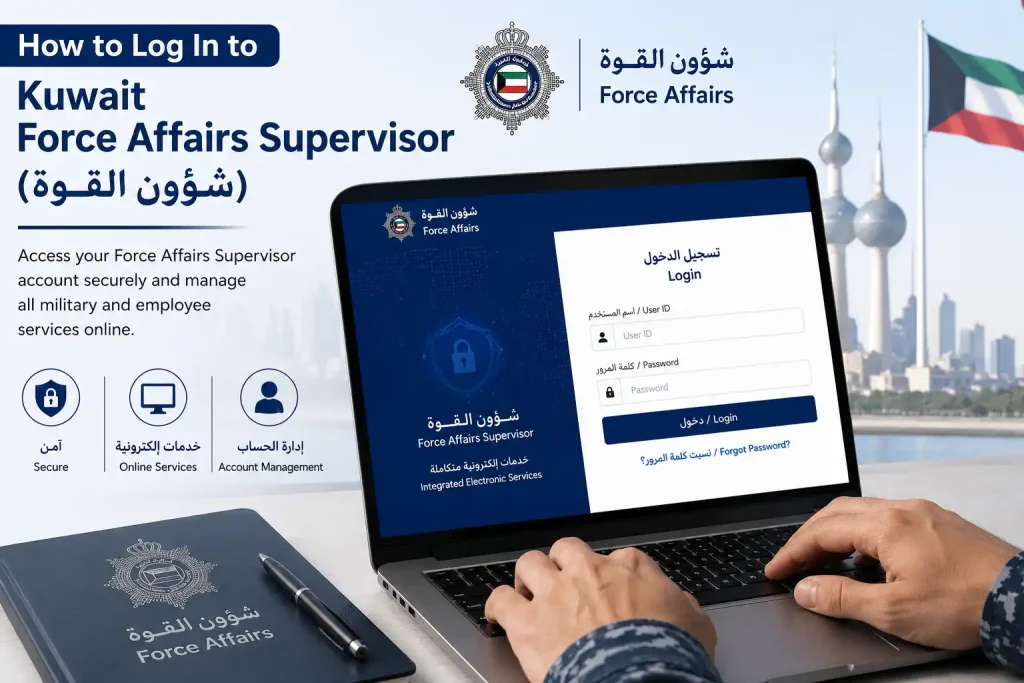
Kuwait Force Affairs Supervisor (شؤون القوة) is an online service for eligible Kuwait Ministry of Interior and Police Force personnel, offering access to employee-related and administrative services such as employee enquiries, military ID requests and status checks, leave information, procedure guidance, certificate verification, and return-to-Ministry requests. This guide covers the Kuwait Force Affairs login process, registration, available services, application status checks, and common login issues, while also explaining the difference between and the Ministry of Interior’s broader electronic-services platform for individuals.
What Is Kuwait Force Affairs Supervisor (شؤون القوة) ?
Kuwait Force Affairs (شؤون القوة) is a dedicated electronic service for eligible personnel working with Kuwait’s Ministry of Interior and Police Force. It provides access to employee-focused administrative services, allowing authorised users to view information and handle requests related to their official duties.
Depending on the user’s eligibility and Ministry authorisation, the system may provide services such as:
- Employee inquiries
- Military ID requests and status information
- Leave-related information
- Administrative procedures
- Certificate verification
- Return-to-Ministry requests
- Other personnel-related services available through the system
It is important to distinguish Affairs from Kuwait’s general Civil ID services. The platform is intended for eligible Ministry and Police Force personnel, and the services displayed after login can vary according to the user’s role and access permissions.
In brief Affairs Salary serves as an online access point for authorised Ministry of Interior and Police Force employees to manage or check relevant personnel and administrative services.
Kuwait Force Affairs Supervisor (شؤون القوة) Services at a Glance
The Kuwait Force (شؤون القوة) portal brings together several services for eligible Ministry of Interior and Police Force personnel. The available options cover account registration, employee enquiries, military ID requests, leave information, administrative guidance, certificate verification and return-to-Ministry procedures.
| Force Affairs Service | What It Is Used For |
|---|---|
| New Registration | Create a new Affairs account |
| Employee Inquiry | Access available employee-related information and enquiries |
| Military ID Request | Request the issuance of a military identification card |
| Military ID Status | Check the status of a submitted military ID request |
| Leave Types | Review available leave categories and related information |
| Administrative Instructions | Read relevant administrative instructions and guidance |
| Procedure Guide | Check procedures, requirements and related instructions |
| Certificate Verification | Verify certificates through the connected Ministry service |
| Return to Ministry | Submit a request to return or rejoin the Ministry |
| Return Request Status | Track the status of a submitted return-to-Ministry request |
The exact services available to an individual may depend on their eligibility, role and authorised access within the Ministry system.
How to Register for Kuwait Force Affairs Supervisor (شؤون القوة)
Eligible users who do not yet have an account can begin through the New Registration (تسجيل جديد) option on the Force portal. The registration form collects the information required by the Ministry, so applicants should use the current form and follow its instructions rather than relying on older screenshots.

Registration Steps
- Open the official Kuwait Force Supervisor (شؤون القوة) portal.
- Choose New Registration (تسجيل جديد).
- Review the registration form provided by the Ministry.
- Enter all information requested by the system.
- Check the information carefully for errors.
- Submit the registration request.
- Complete any additional verification requested by the Ministry.
- Once registration is complete, return to the login page and sign in using the credentials created for the account.
Important: The registration fields and verification requirements may change when the Ministry updates the portal. Always follow the instructions displayed on the current registration page.
Access to Affairs is limited to eligible Ministry of Interior and Police Force personnel. Having an account does not necessarily provide access to every service; available options can depend on the user’s authorisation and account.
How to Log In to Kuwait Force Affairs Supervisor (شؤون القوة)
The Affairs login page currently asks users for a file number, password and visual verification code.
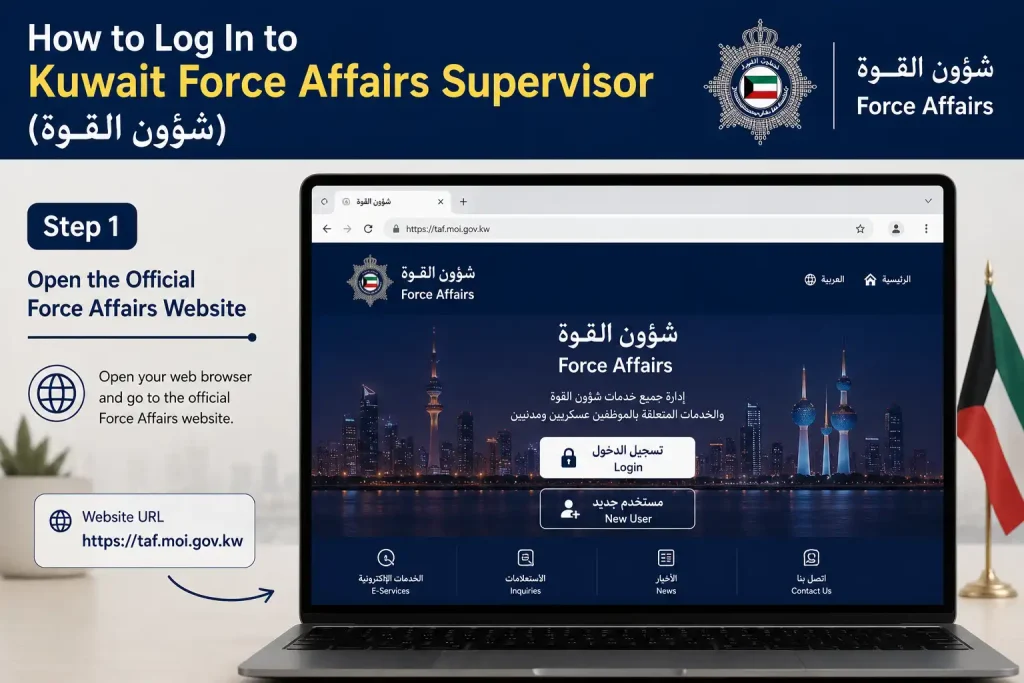
Step 1: Open the Official Force Affairs Website
Go directly to the Ministry of Interior Affairs portal:
Before entering your credentials, check that the address belongs to the official moi.gov.kw domain.
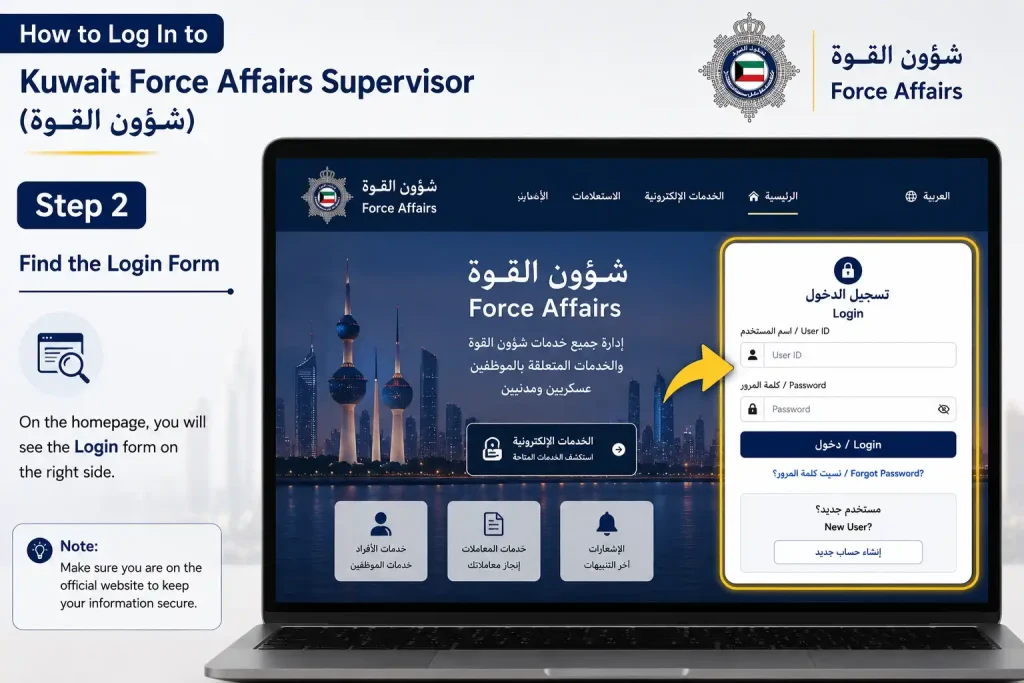
Step 2: Find the Login Form
The portal’s Arabic login section is labelled تسجيل الدخول. It contains fields for:
- File Number (رقم الملف)
- Password (كلمة المرور)
- Visual verification/CAPTCHA
The current official page confirms these login fields.
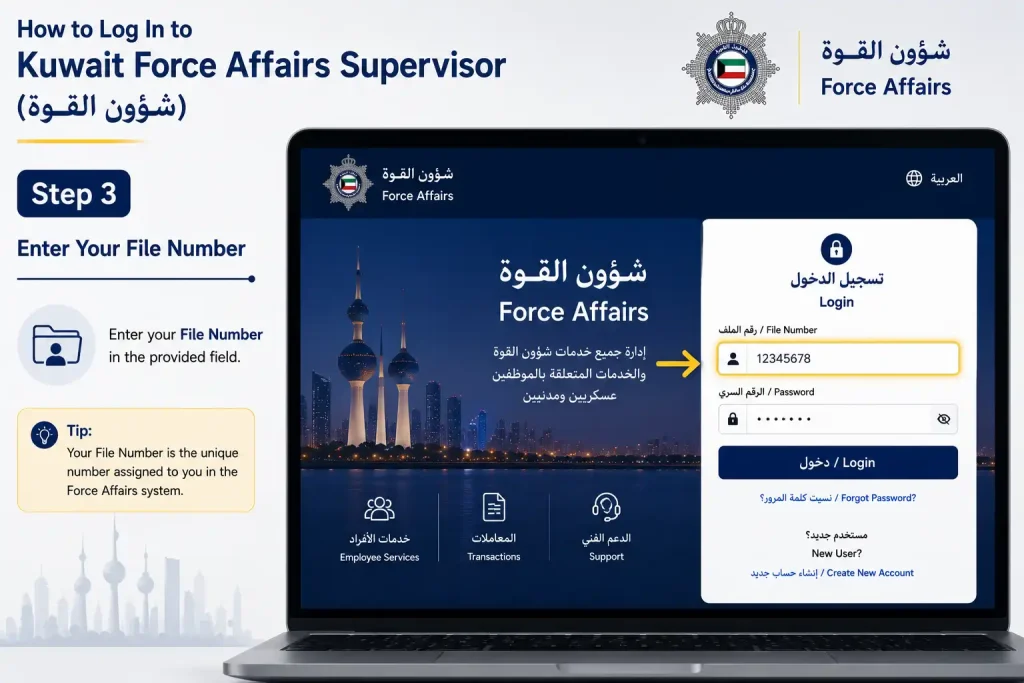
Step 3: Enter Your File Number
Type your assigned Force file number into the relevant field.
Do not automatically replace the file number with your Civil ID. The login page specifically identifies رقم الملف as the required identifier.
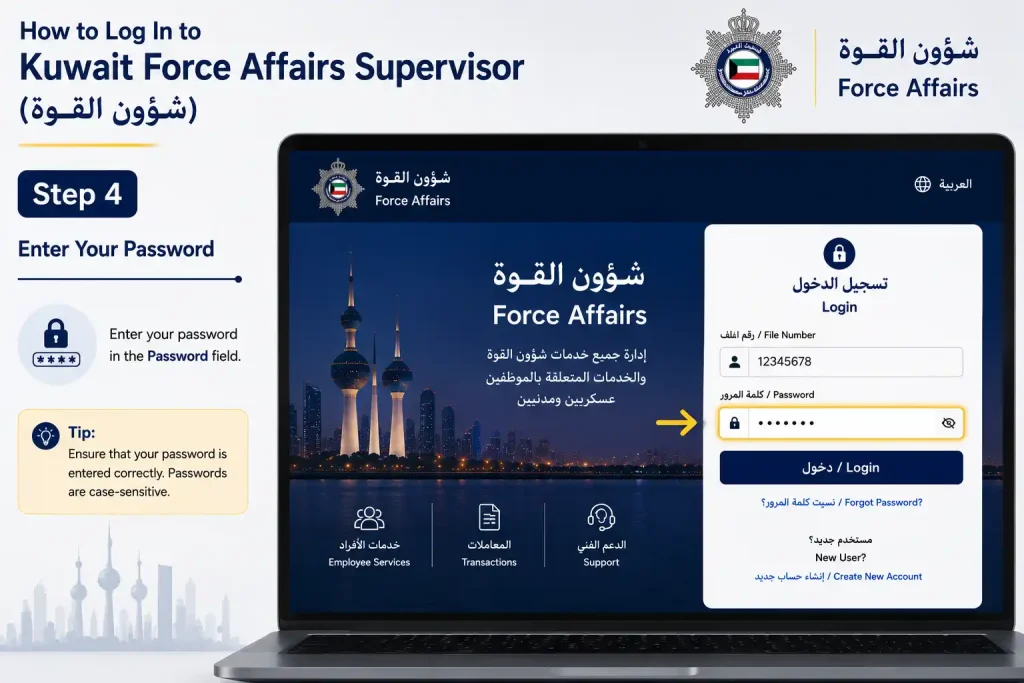
Step 4: Enter Your Password
Enter the password associated with your Force account.
Check the information carefully before continuing, particularly if your password contains numbers, capital letters or special characters.
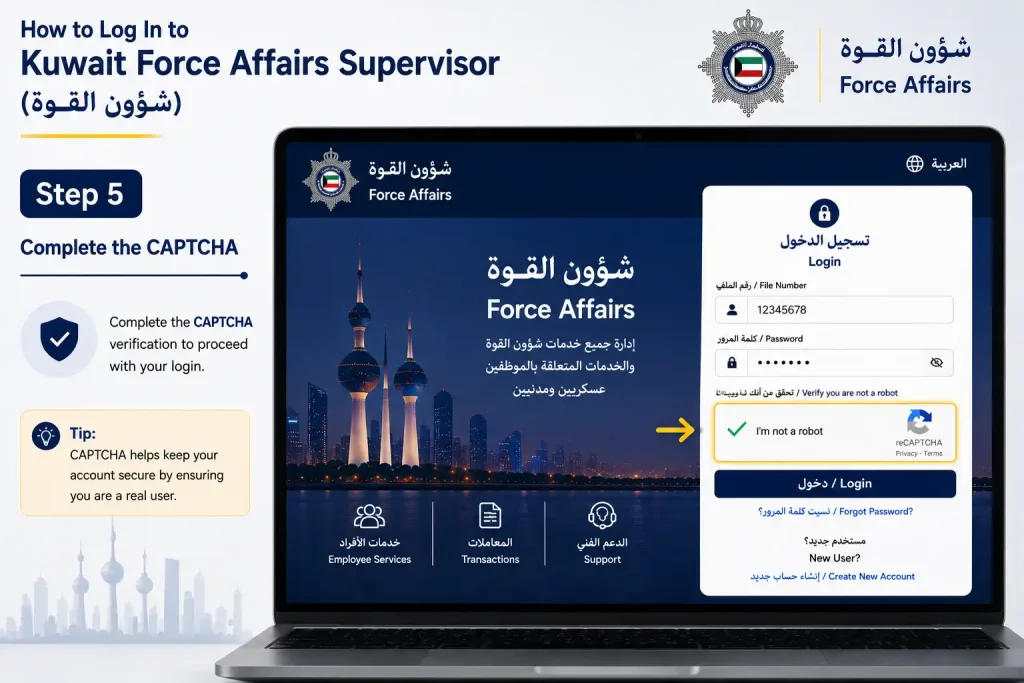
Step 5: Complete the CAPTCHA
Enter the characters shown in the verification image.
If the image is difficult to read, refresh it when a refresh option is available and enter the new characters.
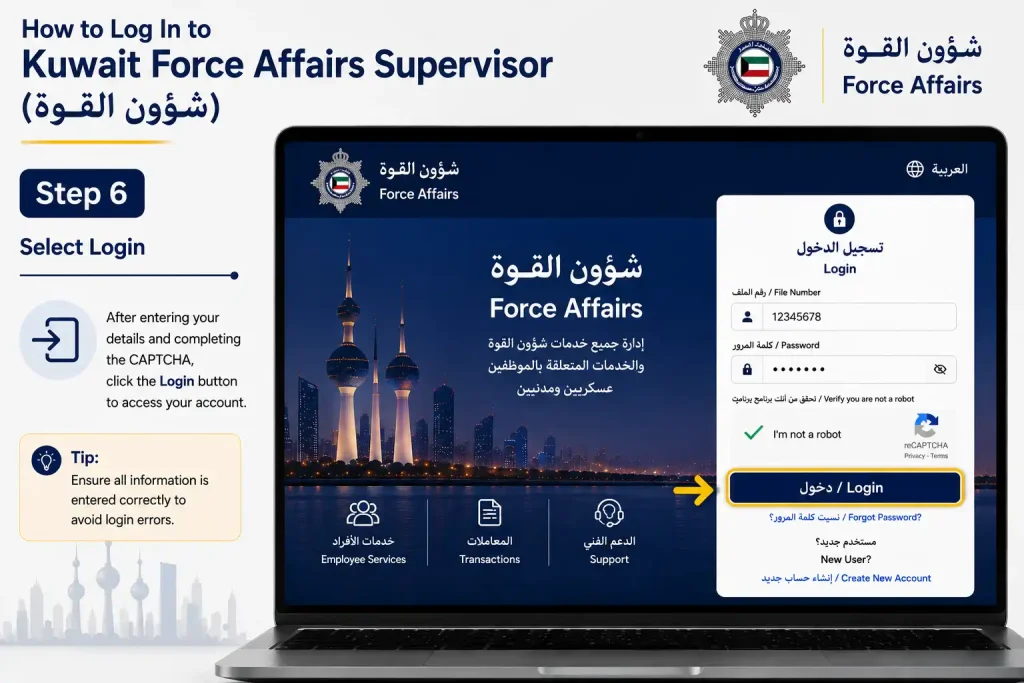
Step 6: Select Login
Choose تسجيل الدخول to submit your credentials.
If authentication succeeds, the services available to your account should become accessible.
Security Tip: Never give yourInternal Affairs password to another person. Use only official Ministry websites when entering account information.
Kuwait Force Affairs Supervisor Employee Inquiry
The Employee Inquiry (الاستعلام) option provides access to employee-related information available through the Affairs system. What a user can view depends on their account and authorised services.
How to Use the Employee Inquiry Service
- Open the Kuwait Affairs portal.
- Log in using your file number and password.
- Complete the required visual verification.
- Select Inquiry (الاستعلام).
- Choose the relevant employee inquiry or service.
- Enter any additional information requested by the system.
- Submit the inquiry.
- Review the information displayed on the screen.
The available inquiry options may differ between users because Affairs services are linked to account permissions and Ministry authorisation.
Kuwait Military ID Application Status
Force also provides an option for checking the status of a military ID application. The portal identifies this service as استعلام عن حالة طلب الهوية.
Steps to Check Military ID Status
- Visit the official Affairs portal.
- Select Military ID Request Status.
- Follow the link provided to the relevant Ministry electronic service.
- Enter the information requested by the linked service.
- Submit the request.
- Review the military ID application status shown on the screen.
The military ID status service is focused specifically on checking a submitted ID request and is separate from the normal Affairs account login. a military ID request.
How to Apply for a Kuwait Military ID Through Force Affairs
Eligible personnel can use the Request Military ID Issuance (طلب اصدار الهوية العسكرية) option available through the Affairs portal. The application is handled through the Ministry’s electronic service, and the exact eligibility conditions or supporting requirements may depend on the employee’s status and current Ministry procedures.
Military ID Application Steps
- Open the official Kuwait Affairs portal.
- Select Request Military ID Issuance (طلب اصدار الهوية العسكرية).
- Continue to the linked Ministry electronic service.
- Enter the employee information requested on the form.
- Review the entered details carefully.
- Submit the military ID request.
- Keep any application or reference details provided after submission.
- Use the Military ID Request Status service to check the application when status information becomes available.
Important: Military ID eligibility and required documents can vary according to employment status and the Ministry’s current procedures. Always follow the requirements shown by the official service.
Return-to-Ministry Services in Force Affairs
Force includes services for personnel who need to submit a Return to the Ministry of Interior request. A separate option is provided for checking the status of an already submitted return request.
How to Submit a Return-to-Ministry Request
- Open the official Affairs portal.
- Choose Request Return to the Ministry of Interior.
- Continue to the linked electronic service.
- Enter the information requested by the Ministry.
- Complete the application form.
- Submit the request.
- Save the reference or application information provided after submission.
How to Check Return Request Status
After submitting a return request, users can use the corresponding status service to check its progress.
- Open the Affairs portal.
- Select Return Request Status.
- Enter the details requested by the linked service.
- Submit the status inquiry.
- Review the latest information displayed.
Keeping the application reference information can make it easier to follow up on a submitted request.
Kuwait Force Affairs Supervisor Leave Information
Types of Leave (أنواع الإجازات) is listed as a separate section within the Affairs portal. It provides users with access to information about the leave categories and related instructions applicable through the Ministry.
How to Review Leave Information
- Visit the Kuwait Force website.
- Open Types of Leave (أنواع الإجازات).
- Review the available leave categories and instructions.
- Check the applicable Ministry procedures before submitting or acting on a leave-related request.
Leave eligibility and approval requirements can depend on an employee’s position and the relevant Ministry rules. The current information provided by the official portal should therefore be treated as the primary reference.
Administrative Instructions and Procedure Guide
Force also lists two sections that can help personnel understand administrative requirements: Administrative Instructions (إرشادات ادارية) and Procedure Guide (دليل الاجراءات).
Administrative Instructions
The administrative guidance section may help users understand information such as:
- Administrative requirements
- Employee-related procedures
- Relevant instructions
- Steps associated with specific transactions
Procedure Guide
The Procedure Guide (دليل الاجراءات) can be useful before starting an unfamiliar transaction. A practical approach is to:
- Open the Procedure Guide.
- Find the procedure relevant to your request.
- Read the stated requirements and instructions.
- Prepare the information or documents requested.
- Open the corresponding electronic service.
- Follow the current instructions provided by the Ministry.
Reviewing the applicable procedure before beginning a transaction can help users understand what is required and avoid unnecessary errors.
Certificate Verification Through Kuwait Force Affairs Supervisor
The Certificate Verification (التحقق من الشهادات) option is available through the Force portal and connects users to the relevant Ministry electronic service. It can be used to submit the information required for certificate verification and review the result provided by the system.
Steps to Verify a Certificate
- Open the Kuwait Force portal.
- Select Certificate Verification (التحقق من الشهادات).
- Continue to the linked Ministry electronic service.
- Enter the information requested on the verification page.
- Submit the request.
- Review the verification result displayed by the system.
Note: Enter only the information requested by the official Ministry service and follow the instructions shown on the current page.
Information You May Need for Force Affairs Services
Having the relevant account or application details available can make it easier to use Kuwait Ministry of Interior Affairs Force. However, not every service requires the same information.
| Information | Possible Use |
|---|---|
| Force Affairs File Number | Signing in to the account |
| Password | Account authentication |
| CAPTCHA Code | Completing login verification |
| Civil ID | Certain Ministry services |
| Application Details | Checking submitted applications |
| Military ID Request Information | Following a military ID request |
| Return Request Information | Checking a return-to-Ministry request |
Use only the details requested by the specific official service you are accessing. Requirements can differ betweenKuwait Ministry of Interior Affairs and linked Ministry services.
Common Kuwait Force Affairs Login Issues
Login problems can often be related to incorrect account information, CAPTCHA verification or account access. The following checks cover some of the common situations users may encounter.
Force Affairs Login Does Not Work
If you cannot sign in, first check that:
- Your file number has been entered correctly.
- Your password is correct.
- The CAPTCHA characters match the image.
- You are using the official Ministry website.
- Your account is active.
If the problem continues, refresh the page and try again rather than repeatedly submitting incorrect credentials.
CAPTCHA Is Difficult to Read
When the CAPTCHA is unclear, use the available refresh option to generate a new verification code, if the portal provides one. Then enter the newly displayed characters carefully.
You Forgot Your Force Affairs Password
Avoid repeatedly guessing your password. If the Force system provides an official password-recovery option, use that process.
If no recovery facility is available, contact the appropriate Ministry support or administrative department through official channels for assistance.
A Force Affairs Service Is Not Showing
The services displayed to a user can depend on eligibility, role and account authorisation. As a result, the absence of a particular option does not necessarily mean that the service has been removed from the system.
If you believe you should have access to a missing service, confirm your eligibility with the relevant Ministry department.
Your Application Status Has Not Updated
If a submitted application still shows the same status, keep the application or reference information and check the official status service again later.
For an unusually long delay, contact the relevant Ministry department through its official channels and provide the appropriate application details when requested.
Kuwait Force Affairs vs General MOI E-Services
Kuwait Force and the Ministry of Interior’s broader electronic-services platform serve different purposes. Affairs focuses on services associated with eligible Police Force and Ministry personnel, while the general MOI e-services platform covers a wider range of Ministry services for applicable users.
| Kuwait Force Affairs | General MOI E-Services |
|---|---|
| Focused on eligible Police Force personnel | Serves broader categories of users |
| Employee-related services | Wider range of Ministry services |
| File-number login for applicable users | Civil ID-based authentication for applicable services |
| Military ID-related procedures | General Ministry electronic services |
| Employee enquiries | Public and other electronic services |
Although both platforms are connected with Kuwait’s Ministry of Interior, they should not be treated as interchangeable. The appropriate portal depends on the type of service the user needs and their eligibility.
Official Kuwait Force Affairs Supervisor Links
For Force services, use the official Kuwait Ministry of Interior websites rather than third-party pages that may imitate the login or registration system.
Official Resources
The official Affairs portal provides access to options including new registration, employee enquiries, military ID services, leave information, administrative instructions, procedure guidance, certificate verification and return-to-Ministry services.
Security Tip: Check that you are on an official moi.gov.kw domain before entering your file number, password, Civil ID or other personal information.
Kuwait Force Affairs Supervisor Login Checklist
Before accessing keep the information required for your particular service ready:
- Force Affairs file number for account login
- Account password for authentication
- CAPTCHA verification when requested
- Civil ID if required by the selected Ministry service
- Application or reference details when checking a submitted request
Not every service requires all of these details. Follow the fields shown on the official page you are using.
For account security, never disclose your password, login credentials or other confidential information to another person or enter them on unofficial websites.
FAQs
Final Thoughts
Kuwait Force Affairs (شؤون القوة) is an important electronic service for eligible Ministry of Interior and Police Force personnel, bringing together key employee and administrative services in one place. From account registration and military ID requests to employee enquiries, leave information, certificate verification and return-to-Ministry requests, the platform can make routine personnel procedures easier to manage. Always use the official Ministry of Interior portal, check your eligibility and account permissions, and follow the latest instructions shown by the system because available services and requirements may change.