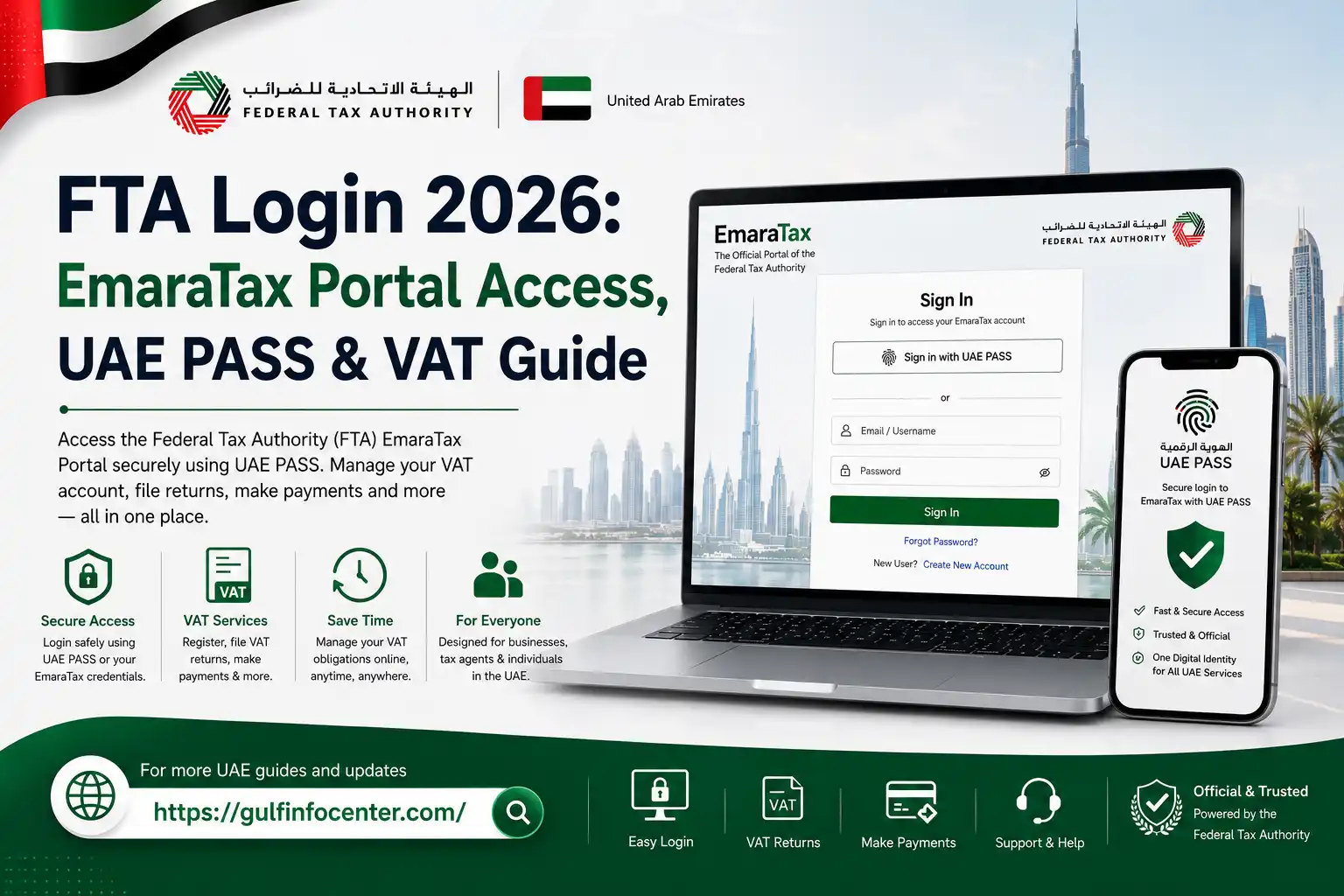
FTA Login 2026: EmaraTax Portal Access, UAE PASS & VAT Guide

Getting started with UAE tax services online usually begins with an FTA login. The Federal Tax Authority (FTA) provides its online tax services through EmaraTax, giving taxpayers a central platform to manage eligible tax activities remotely.

Once signed in, users may be able to access services such as VAT registration, VAT return filing, tax payments, account management, certificate requests, applications, and other FTA services available for their account. The exact options can vary depending on the taxpayer’s registration and account type.

FTA Login at a Glance

An FTA login gives taxpayers access to Federal Tax Authority services through the EmaraTax platform. Once you sign in and complete the required authentication, the services displayed in your account will depend on your taxpayer profile and registration status.

Depending on your account, EmaraTax may allow you to:

  • Register for VAT and manage your tax account
  • File VAT returns online
  • Make tax payments
  • Update and manage taxpayer information
  • Access tax registration certificates
  • Submit tax-related applications and requests
  • Review account details and tax information
  • View previously submitted tax details and related documents

How to Sign In to the FTA Portal
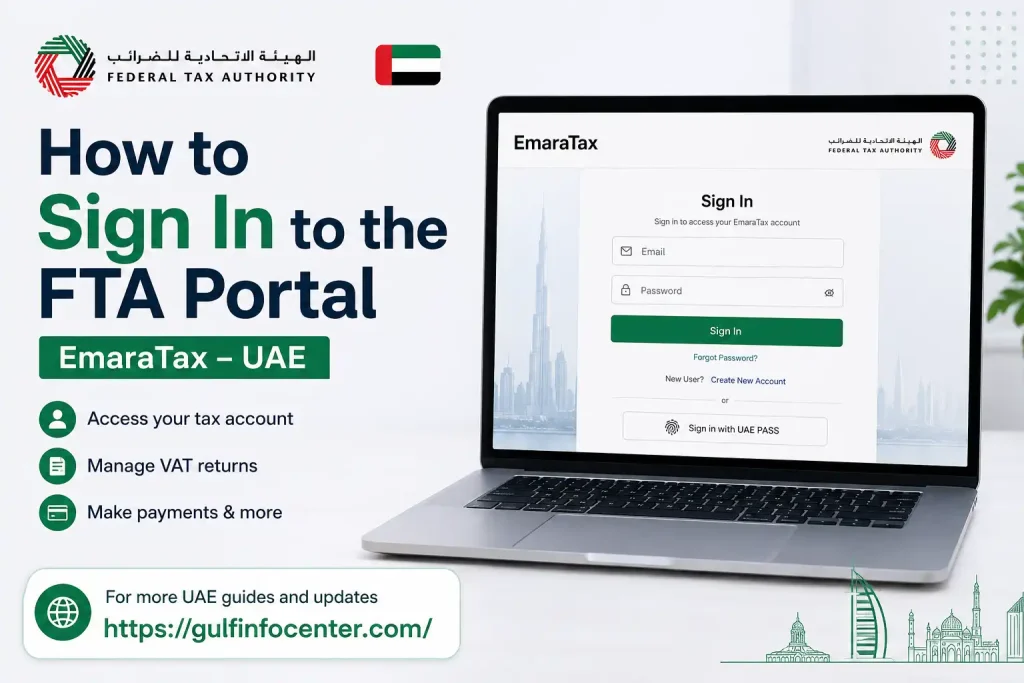
The EmaraTax login process is completed online. Use your registered account details and follow any additional security checks requested during authentication.

1. Open the EmaraTax Portal

Visit the official EmaraTax portal and select the sign-in option to begin accessing your FTA account.

2. Enter Your Account Details
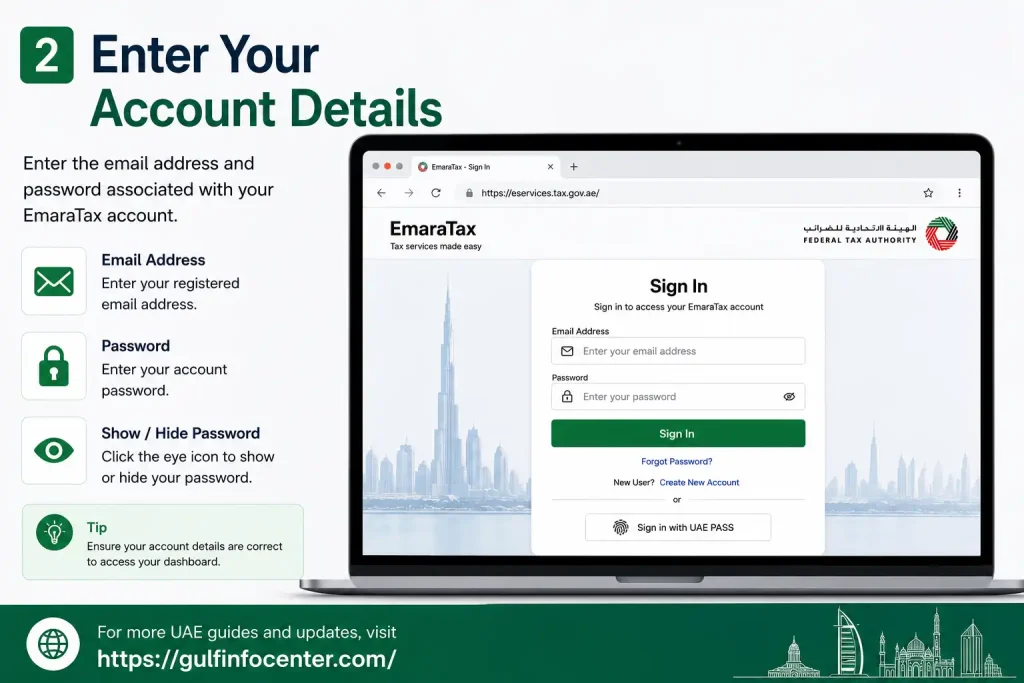
Provide the login information associated with your EmaraTax account. Depending on the sign-in screen, you may need to enter your:

  • Registered email address
  • Password
  • OTP or verification code, if requested

3. Complete the Security Check
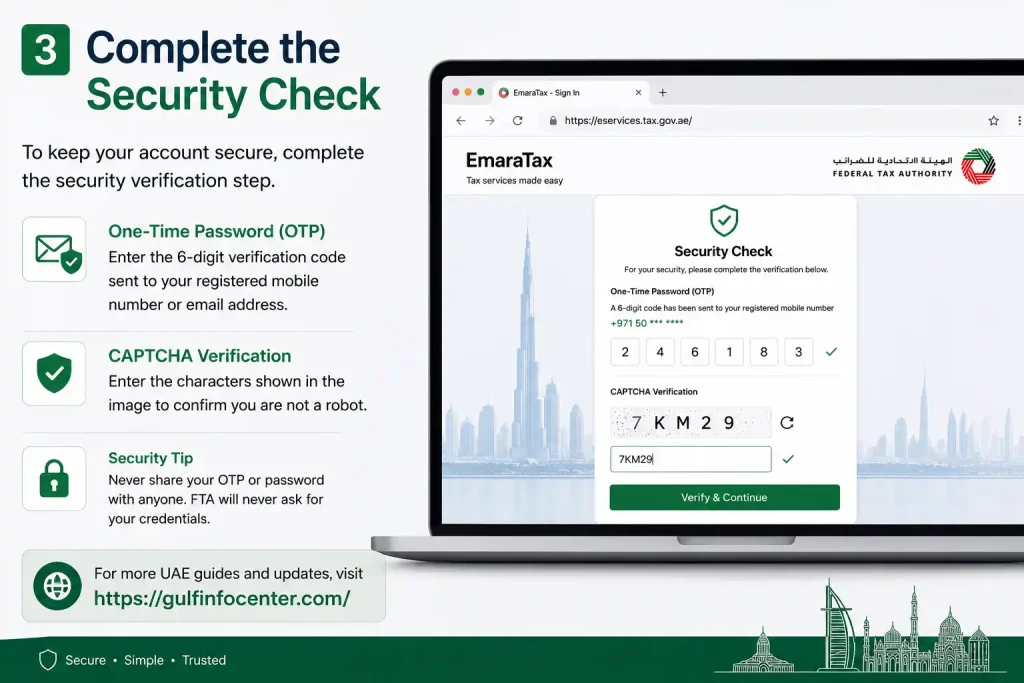
Follow any additional verification instructions displayed by EmaraTax. If you receive an OTP, enter the most recent code before it expires.

4. Access Your Taxpayer Dashboard

After successful authentication, you will be taken to your EmaraTax dashboard. The services and options shown there depend on your taxpayer profile and the tax accounts linked to it.

Can You Use UAE PASS for FTA Login?

UAE PASS may be available as an alternative authentication method for eligible users accessing government digital services. If the UAE PASS option appears on EmaraTax, select it and complete the verification process through the UAE PASS application.

1. Open the Official EmaraTax Website

Go to the official EmaraTax website and look for the available login options.

2. Select UAE PASS

Choose the UAE PASS sign-in option if it is displayed on the EmaraTax login page.

3. Follow the Authentication Instructions

Continue with the instructions provided on screen. The process may require you to confirm your identity through UAE PASS.

4. Approve the Request in UAE PASS

When prompted, open the UAE PASS app and approve the authentication request.

5. Complete Additional Verification

If EmaraTax requests another security check or verification step, complete it before continuing.

6. Enter Your FTA Account

After authentication is successfully completed, you can continue to your FTA/EmaraTax dashboard and access the services available for your account.

Using EmaraTax for VAT Services
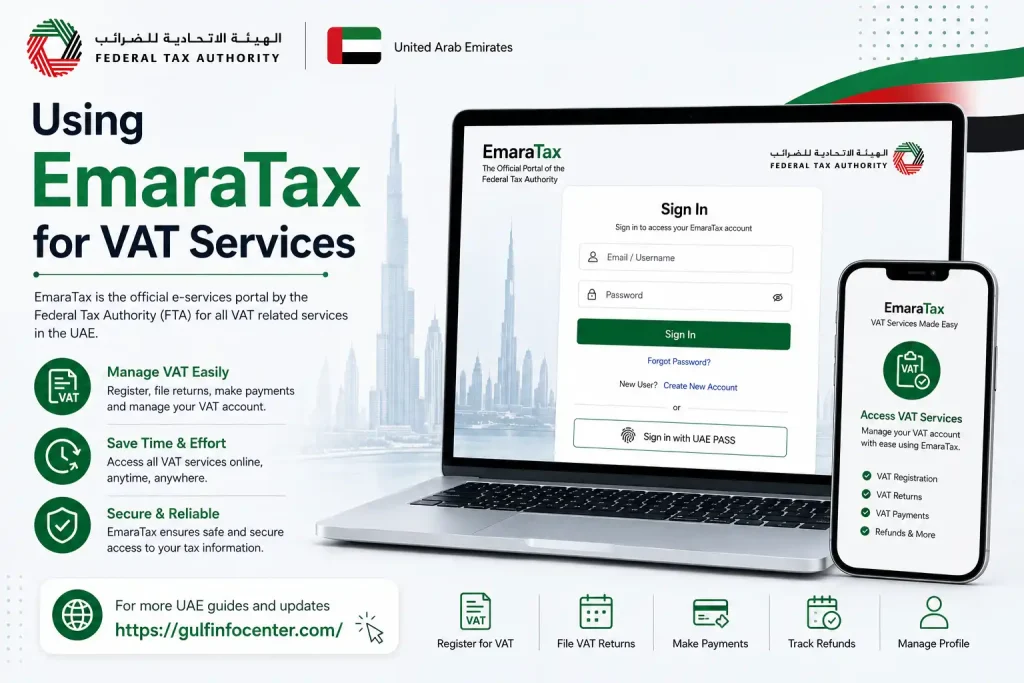
An FTA VAT login is commonly used to describe accessing VAT-related services through an EmaraTax account. After signing in, the services available to you depend on your taxpayer profile, registration and tax status.

Depending on your account, you may be able to:

  • Check VAT registration information
  • Manage VAT account details
  • Submit VAT returns
  • Review tax obligations
  • Make tax payments
  • View previously submitted information
  • Access available VAT certificates and documents
  • Submit relevant tax applications and requests

The options displayed in EmaraTax can differ from one taxpayer account to another.

How to Find and Submit a VAT Return
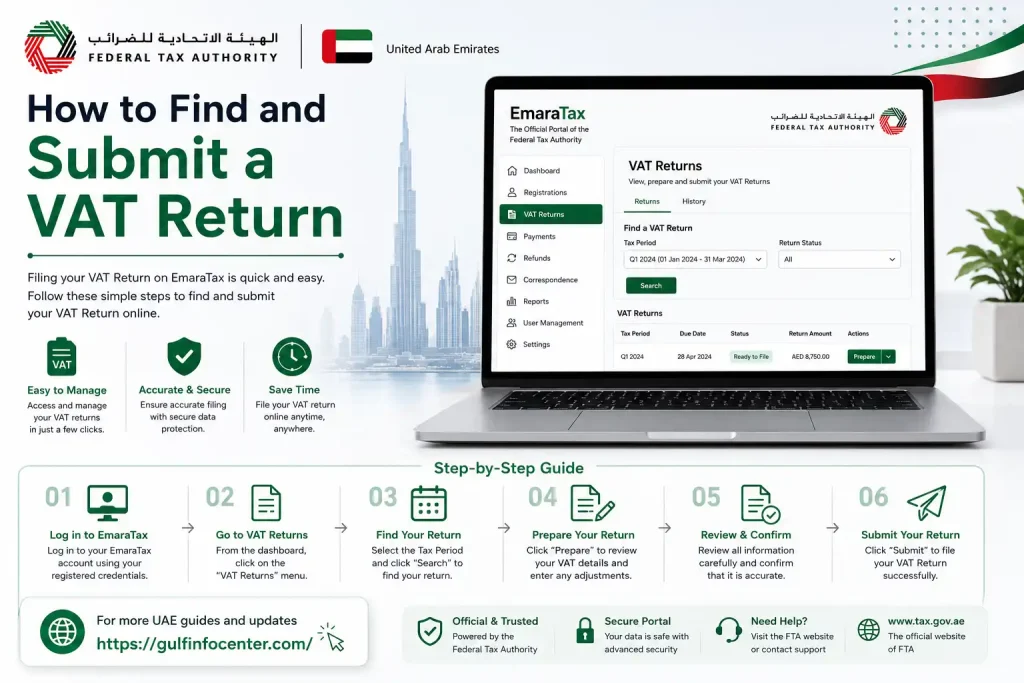
After signing in to EmaraTax, you can access VAT return services through the relevant taxpayer account. The exact screens may vary, but the process generally follows the steps below.

1. Sign In to EmaraTax

Log in to your EmaraTax account using the available authentication method.

2. Open Your Tax Account

Select the appropriate taxpayer profile or tax account associated with the VAT services you need to manage.

3. Open the VAT Services

Navigate to the VAT section or the VAT-related services available within your account.

4. Select the Relevant VAT Return

Choose the VAT return you need to complete and check that you have selected the correct return.

5. Check the Reporting Period

Review the reporting period before entering any information to make sure the return relates to the correct tax period.

6. Enter the Required Information

Provide the requested figures and other information required by the VAT return.

7. Review the Return

Carefully check the entered information, figures and declaration before proceeding. This is an important opportunity to identify errors.

8. Submit the VAT Return

When the information is correct, submit the completed return through EmaraTax.

9. Keep the Confirmation Details

Save the confirmation or reference information provided after submission for your records.

Tip: Reviewing your VAT return carefully before submission can help reduce errors and avoid unnecessary follow-up work.

Information You May Need Before Logging In

Preparing your account and verification details in advance can make the EmaraTax sign-in process smoother.

RequirementWhy it may be needed
Registered email addressIdentifies your EmaraTax account
EmaraTax passwordUsed for standard authentication
UAE PASSMay provide an alternative authentication method
Mobile phoneMay be required for OTP or other verification
Tax registration detailsMay be relevant when accessing taxpayer services
Internet connectionRequired to use the online portal

Not every taxpayer will need all of these items. The information requested depends on the authentication method and the particular services being accessed.

What to Do If You Forget Your FTA Password

If you cannot remember your EmaraTax password, use the account-recovery option provided on the sign-in page rather than repeatedly entering incorrect credentials.

1. Open the EmaraTax Login Page

Go to the official EmaraTax sign-in page and locate the account-recovery option.

2. Select “Forgot Password”

Choose the Forgot Password or password-recovery option shown on the login page.

3. Provide the Requested Details

Enter the account information requested by the recovery process.

4. Complete Verification

Follow the security or identity-verification instructions displayed by the portal.

5. Check Your Registered Contact Details

Look at the registered email address or other contact method for the recovery instructions provided by EmaraTax.

6. Create a New Password

Set a new password when the recovery process allows you to do so.

7. Sign In Again

Return to the EmaraTax login page and try accessing your account with the new password.

Security reminder: Keep your password private. Do not share OTPs, verification codes or other account-security information with anyone.

FTA Login Problems: What Should You Check?

A failed sign-in attempt does not necessarily mean your FTA account is unavailable. A few basic checks can help identify common access problems.

Verify Your Login Details

Recheck the email address and password you entered. Pay particular attention to spelling and password capitalisation, as passwords may be case-sensitive.

Check Your Internet Connection

A weak or unstable connection can affect the loading of the EmaraTax login page or taxpayer dashboard. Try again once your connection is stable.

Use an Updated Browser

If the portal does not work as expected, try using an updated version of a commonly supported web browser.

Clear Cached Browser Data

Stored browser data can occasionally interfere with website functions. Clearing the cache and reopening the browser may resolve temporary loading or display issues.

Request a New OTP

If the sign-in process requires an OTP, use the latest code provided. An earlier code may have expired or become invalid.

Try UAE PASS When Available

If UAE PASS is offered as an authentication option for your account, you may be able to use it instead of the standard login method.

FTA Login vs FTA Portal Login vs FTA VAT Login

People may use several different search phrases when looking for UAE tax services. Although the wording differs, these terms generally relate to accessing FTA services through EmaraTax.

Search termTypical user intent
FTA LoginSign in to an FTA or EmaraTax account
FTA Portal LoginFind the online FTA access page
FTA Login UAEAccess FTA services in the UAE
FTA Login PortalLocate the EmaraTax sign-in service
FTA VAT LoginAccess VAT-related services after signing in

The key distinction is usually the service the user wants to reach. FTA login terms generally refer to account access, while FTA VAT login is more specifically associated with reaching VAT services after authentication.TA digital services through EmaraTax.

FAQs

Accessing the UAE Federal Tax Authority (FTA) online services starts with the official login portal. Registered users can sign in with their existing credentials or use UAE PASS for digital identity verification.

FTA Login Steps

Follow these steps to access your FTA account:

  1. Open the official FTA login page.
  2. Select the available sign-in method: registered email and password or UAE PASS.
  3. Enter your login details when prompted.
  4. If an OTP (One-Time Password) is requested, enter the verification code sent to your registered email address or mobile number.
  5. Once authentication is successful, you can access your FTA online services.

First-Time Access or Forgotten Password

Users with older FTA e-services accounts that were migrated to the current system do not need to create their account again. Their existing information is transferred to the new platform.

If you’re accessing the system for the first time or cannot remember your password:

  • Select the Password Reset option on the login screen.
  • Enter your registered email address.
  • Complete the displayed security verification.
  • Check your email for the temporary password and account activation link.
  • Open the activation link and follow the instructions provided.
  • Sign in using the temporary credentials and set a new secure password.

Tip: Make sure you have access to the email address registered with your FTA account before starting the password recovery process.

The key point is that the FTA login process requires you to verify your identity before entering your account. Depending on your account and the sign-in method you choose, this may involve your FTA credentials, UAE PASS, or an OTP verification step.

You do not need UAE PASS to access your FTA account if you already have registered FTA login credentials. The EmaraTax portal provides an alternative sign-in method using your registered email address and password, followed by OTP verification when requested.

FTA Login Without UAE PASS: Step-by-Step

If you prefer not to use UAE PASS, use the standard email-and-password option:

  1. Open the official EmaraTax login portal.
  2. Select the option to sign in with your email address and password rather than UAE PASS.
  3. Enter the email address registered with your FTA account.
  4. Type your account password and continue.
  5. If prompted, enter the OTP (One-Time Password) sent to your registered email address.
  6. After successful verification, you can access your EmaraTax account and available FTA services.

What If You Forgot Your FTA Password?

You can recover access directly through the EmaraTax portal without switching to UAE PASS.

Look for the “Please reset your password here” option in the existing-user section of the login page. Enter your registered email address and the security code displayed on screen. The portal will then provide the password-reset instructions through your email.

Important: You need access to the email address associated with your FTA account to complete the password recovery process.

Email Login vs UAE PASS

Login methodWhat you need
Email & PasswordRegistered FTA email and password
Email Login + OTPRegistered email and verification code
UAE PASSActive UAE PASS digital identity

So, if you don’t have UAE PASS—or simply don’t want to use it—FTA email login is the alternative. Your registered email credentials and any required OTP are enough to proceed according to the supplied source material.

A Tax Residency Certificate (TRC) can be requested online through the FTA’s dedicated portal. Applicants can sign in with their existing EmaraTax credentials or create an account using their email address before starting the application.

TRC Application Process

1. Access the TRC Portal

Open the FTA Tax Residency Certificate portal and sign in with your EmaraTax account. If you don’t already have an account, register using your email address.

2. Start a Tax Residency Certificate Request

Once you’re logged in, go to the available services and select Tax Residency Certificate. This starts the online application process.

3. Select the Applicant Category

Choose the type of applicant that matches your situation:

  • Individual (Natural Person)
  • Company (Juridical Person)

Selecting the correct category is important because the supporting documents can differ between individuals and companies.

4. Enter the TRC Information

Provide the requested tax details, including:

  • Corporate Tax TRN, if you are registered
  • Select “No TRN” if you don’t have one
  • The purpose of the certificate, such as a Double Taxation Avoidance Agreement (DTAA) or domestic use
  • The relevant 12-month tax period

5. Upload Supporting Documents

Attach the required documents in the format requested by the portal.

For individuals, the supplied information lists:

  • Passport copy
  • UAE residence visa
  • Emirates ID
  • Entry and exit report
  • Tenancy contract
  • Bank statements

For companies, the listed documents include:

  • Trade licence
  • Memorandum of Association (MOA)
  • Lease agreement
  • Bank statements

Make sure the documents are clear and readable before submitting them.

6. Pay the Required Fees

The application requires payment through the portal before final submission. The supplied information states that fees start at AED 50 for submission, with processing fees varying by applicant status—for example, AED 500 for tax registrants or AED 1,000–1,750 for non-registrants.

7. Wait for the Certificate

After submission, the FTA reviews the request. The supplied source states that the electronic TRC is typically reviewed and issued within 5–7 business days.

TRC Application at a Glance

StageWhat you do
AccessSign in or create an account
ServiceSelect Tax Residency Certificate
ApplicantChoose individual or company
DetailsEnter TRN/status, purpose and tax period
DocumentsUpload the required supporting files
PaymentPay the applicable submission and processing fees
ReviewWait for FTA processing and certificate issuance

Keep your supporting documents ready before starting the application. This can make the online submission easier and help you avoid delays caused by missing information.

If your UAE trade license has been renewed, you can update the new license details through the FTA EmaraTax portal. The process involves accessing your Taxable Person Account, opening the Registration Overview, updating the license information, uploading the renewed license, and submitting the amendment for FTA review.

Step-by-Step Process

1. Log In to EmaraTax

Open the official EmaraTax Portal and sign in using your registered FTA credentials.

2. Open Your Taxable Person Account

From the EmaraTax dashboard:

  • Click “View” on your Taxable Person Account.
  • Open the Registration Overview.
  • Locate the active tax type, such as VAT or Corporate Tax.

3. Start the Tax Records Amendment

Click the three-dot (⋯) options menu next to the relevant tax type, or access Taxable Person Details if the license information is listed there.

Select the option to amend the relevant tax records.

4. Update Your Trade License Details

Enter the updated information from your renewed trade license, including the applicable:

  • License issue date
  • License expiry date
  • Other requested license details

Make sure the information matches your newly renewed license.

5. Upload the Renewed Trade License

Upload a clear copy of your renewed trade license in the format accepted by the portal. Check the document before submitting to ensure all details are readable.

6. Submit the Amendment

Review the updated information carefully and submit the Tax Records Amendment through EmaraTax.

The FTA will review the submitted amendment and update the relevant tax records.

When Should You Update the License?

The supplied source states that the amendment should be submitted within 20 business days of the trade license renewal.

DetailInformation
PlatformFTA EmaraTax
ServiceTax Records Amendment
Where to startTaxable Person Account → Registration Overview
Document requiredRenewed trade license
Reported deadlineWithin 20 business days of renewal
ReviewFTA review after submission

Important Note

The information you provided states that late or non-compliant updates can trigger administrative penalties starting from AED 5,000. Because penalties can depend on the applicable tax rules and circumstances, it is best to submit the amendment promptly after renewing the license.

In short: Renew your trade license → log in to EmaraTax → open Registration Overview → start a Tax Records Amendment → update the license details → upload the renewed license → submit for review.

To register with the UAE Federal Tax Authority (FTA), you first need to create an EmaraTax account using your email address and mobile number. After verifying your contact details, you can create a Taxable Person Profile and apply for the relevant tax registration, such as VAT or Corporate Tax.

Steps to Register for FTA

  1. Create an EmaraTax Account: Go to the EmaraTax Portal and click Sign up. Enter your email address and mobile number, then verify them using the OTP sent to you.
  2. Create a Taxable Person Profile: Log in to your EmaraTax account and create a new Taxable Person Profile from your dashboard.
  3. Select the Tax Type: Choose the tax registration you need, such as Value Added Tax (VAT) or Corporate Tax.
  4. Complete the Application: Enter your business, contact, and other requested information in the online application form.
  5. Upload Supporting Documents: Upload the required documents in PDF format, such as your trade license, Emirates ID, passport copies of owners, and financial records. The supplied information states that each file can be up to 15 MB.
  6. Review and Submit: Carefully check the information you entered and submit the application to the FTA for review.

After submission, approval and issuance of the Tax Registration Number (TRN) typically take up to 20 business days, according to the supplied source.

Note: Creating an EmaraTax account and registering for tax are separate steps. The account gives you access to FTA online services, while tax registration requires submitting the relevant VAT or Corporate Tax application.

You can pay your UAE Federal Tax Authority (FTA) liabilities online through the EmaraTax Portal. After signing in, you can view outstanding amounts, select the liabilities you want to pay, and complete the payment using an online card or GIBAN bank transfer.

Steps to Pay FTA Online

  • Log in: Open the EmaraTax Portal and sign in with your registered credentials.
  • Open My Payments: From your dashboard, select My Payments to view your outstanding liabilities.
  • Select the amount: Choose Select and Pay to pay specific liabilities or Pay All to clear all outstanding amounts.
  • Choose a payment method:
    • MagnatiPay: Pay online using an eligible Visa or Mastercard debit or credit card.
    • GIBAN Transfer: Generate the required payment reference/invoice and make a bank transfer using your assigned GIBAN details.
  • Confirm payment: Complete the transaction and save the digital payment acknowledgment or receipt for your records.

The exact payment options available may depend on the liability and your EmaraTax account.

You can check your FTA administrative fines and penalties online through the EmaraTax Portal. After logging in, you can review your account’s transactions, liabilities, and any penalties recorded by the Federal Tax Authority.

How to Check Your FTA Fine

  • Go to the official EmaraTax Portal and log in.
  • Sign in using your registered credentials or UAE Pass.
  • Open your dashboard and select the relevant Taxable Person or company profile.
  • Go to the Transactions or Liabilities section.
  • Review the listed penalties or outstanding fines, including the amount and related transaction details.
  • If a fine is outstanding, you can proceed to the available payment option through EmaraTax.

If you cannot find a fine or need clarification about a penalty, you can contact the FTA through its official support channels.

FTA registration is the official process of registering a business or eligible individual with the UAE Federal Tax Authority (FTA). It allows taxpayers to be recognized for applicable federal taxes and, where required, receive a Tax Registration Number (TRN).

The main types of FTA registration include:

  • VAT Registration: Mandatory when taxable supplies and imports exceed AED 375,000 annually. Voluntary registration may be available once taxable supplies and imports exceed AED 187,500.
  • Corporate Tax Registration: Used to register businesses and certain individuals that fall within the UAE Corporate Tax rules.

How FTA Registration Works

According to the provided information, the registration process is completed online through the EmaraTax Portal. Applicants generally need documents such as a trade licence, incorporation documents or memorandum of association, and identification documents for owners and authorised signatories.

The registration service itself is free of charge. Once the application is approved, the FTA issues the relevant TRN certificate, which can be used for official tax filings and reporting.

For official information, you can refer to the Federal Tax Authority (FTA) and the EmaraTax Portal.

FTA registration in the UAE is completed online through the EmaraTax portal. Depending on your tax obligations, you may need to register for VAT and/or Corporate Tax.

Basic Registration Process

  1. Create or access your EmaraTax account.
  2. Complete your taxpayer profile with the required business or personal details.
  3. Select the relevant tax registration, such as VAT or Corporate Tax.
  4. Upload the required documents, which may include your trade licence, identification documents, and business information.
  5. Review and submit the application.
  6. After the FTA reviews and approves the application, the relevant Tax Registration Number (TRN) or registration details become available through your EmaraTax account.

VAT Registration Thresholds

For UAE VAT, mandatory registration generally applies when taxable supplies and imports exceed AED 375,000, while voluntary registration may be available from AED 187,500.

Important: VAT registration and Corporate Tax registration are separate requirements. A business should determine which FTA registrations apply to its specific activities and circumstances.

This version keeps the article focused on UAE FTA registration instead of mixing it with UK tax-filing rules.

The UAE VAT login portal is the EmaraTax platform, provided by the Federal Tax Authority (FTA). It allows registered taxpayers to access their tax accounts and manage VAT-related services online.

Accessing the Portal

  • Go to the Federal Tax Authority login page.
  • Sign in using your registered email address and password, or use UAE PASS for digital identity verification.
  • After signing in, select your Taxable Person Profile from the dashboard.
  • From there, you can manage VAT services, including filing VAT returns, making payments, and updating company records.

This keeps the section focused on UAE VAT login and EmaraTax, rather than unrelated tax systems.

To calculate a VAT refund, first determine the VAT included in the purchase price, then deduct any refund or processing fee charged by the tax-free service provider.

VAT refund formula:

VAT Amount = Total Price − Price Before VAT

Then:

Estimated Refund = VAT Amount − Refund/Processing Fee

Step-by-Step Example

Suppose you purchase sneakers for €120 in a country with a 20% VAT rate:

  1. Find the price before VAT:
    €120 ÷ 1.20 = €100
  2. Calculate the VAT included:
    €120 − €100 = €20 VAT
  3. Deduct the service fee:
    If the refund provider returns about 87% of the VAT:
    €20 × 0.87 = €17.40 estimated refund

So, your estimated VAT refund would be €17.40.

Important: The actual refund can vary depending on the country, purchase eligibility, minimum spending requirements, refund provider, and applicable service fees.

Final Thoughts

The FTA login provides a convenient way to access UAE tax services through the EmaraTax platform. Once signed in, taxpayers can manage available VAT services, review their tax information, submit returns, make payments and handle other services linked to their account.

Before logging in, keep your registered account details and verification method ready. Whether you use your email and password or UAE PASS, always follow the security instructions shown by EmaraTax and keep your passwords and OTPs private.


GulfInfoCenter Editorial Team

The GulfInfoCenter Editorial Team publishes accurate, up-to-date guides on government, education, finance, immigration, employment, and public services across the United Arab Emirates, Kuwait, and Qatar. Our content is carefully researched and references official sources whenever possible, helping residents, citizens, students, and visitors access essential services with confidence.

Articles: 31

Leave a Reply

Your email address will not be published. Required fields are marked *
