
BDO Online Banking makes it easier for customers to manage their banking needs online without visiting a branch. Through the BDO Online website and mobile app, users can securely access eligible accounts, check balances, transfer money, pay bills, manage cards, and use other digital banking services. In this BDO Online Banking Guide 2026, you’ll learn how to log in, register for an account, recover a forgotten password, and use the main banking features. Whether you are a new user or an existing BDO customer, this guide provides simple step-by-step instructions for accessing and managing your BDO Online account.
What Is BDO Online Banking?
With BDO Online Banking, eligible BDO customers can manage many routine banking needs digitally without having to visit a branch. The exact features available may depend on the account and services linked to the customer profile.
Depending on eligibility, BDO Online may let you:
BDO Online is available through the BDO Online mobile app and its online banking platform.e BDO Online website, giving customers different ways to access their eligible digital banking services.
Readmore:Homepage
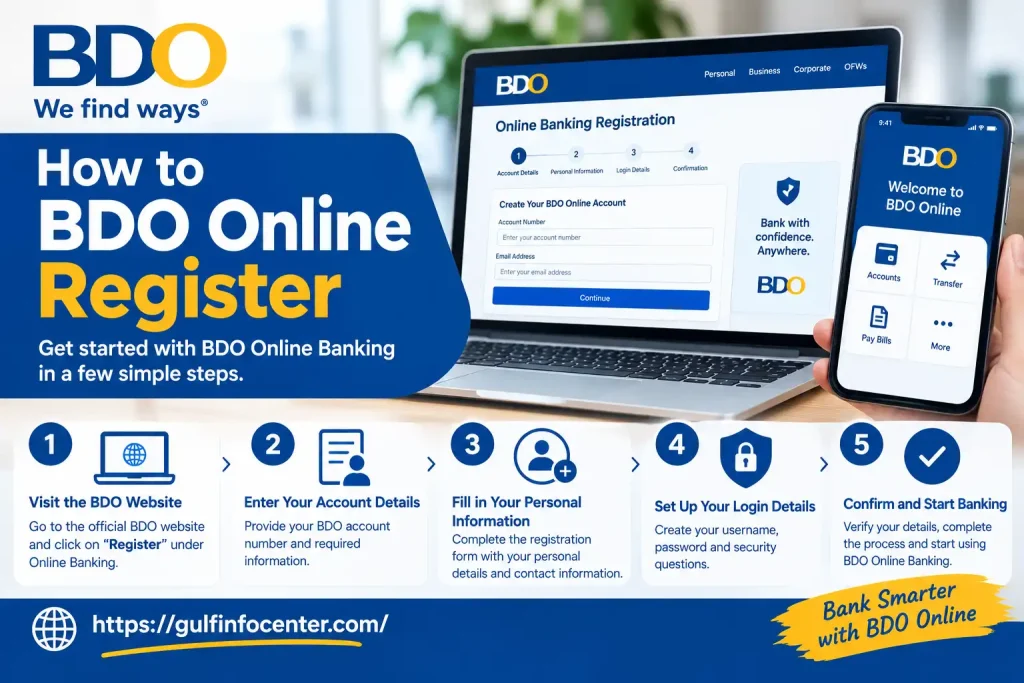
How to BDO Online Register
Customers with an eligible BDO Savings Account, Checking Account, or BDO Credit Card can register for BDO Online. The sign-up process is available through the BDO Online app or website.
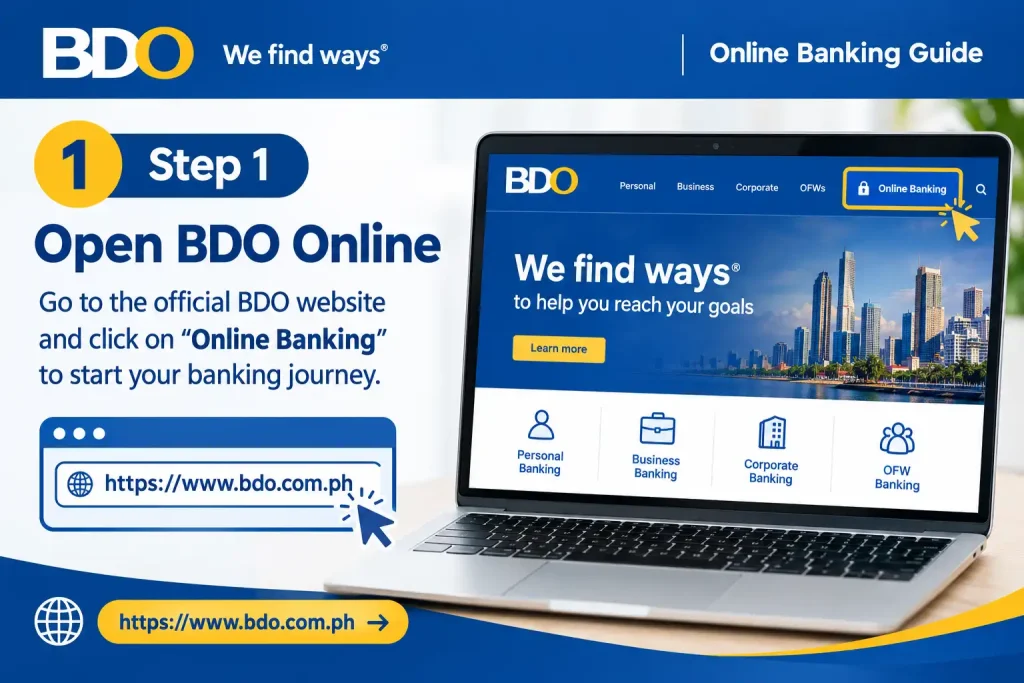
Step 1: Open BDO Online
Start by opening the official BDO Online app on your mobile device, or visit www.onlinebanking.bdo.com.ph through your browser.
Step 2: Choose “Sign Up”
On the login screen, select Sign Up to begin creating your BDO Online profile.

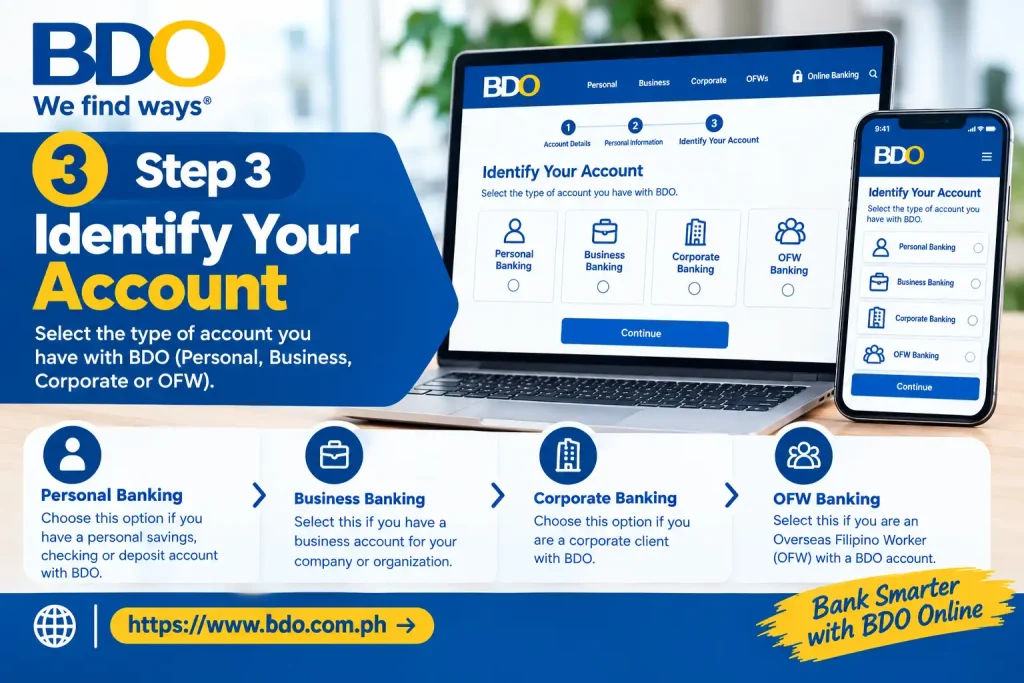
Step 3: Identify Your Account
Choose the option that matches the BDO product you want to register:
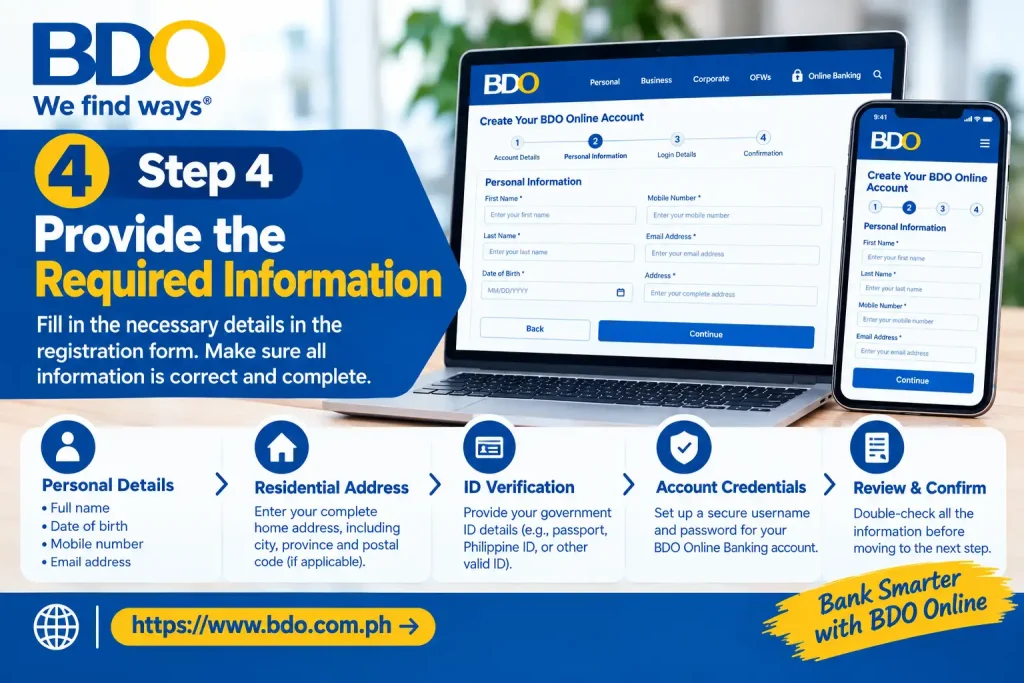
Step 4: Provide the Required Information
Enter the requested account and personal details. Before moving forward, review and accept the applicable Terms & Conditions and Data Privacy Consent.
Step 5: Registering From Outside the Philippines
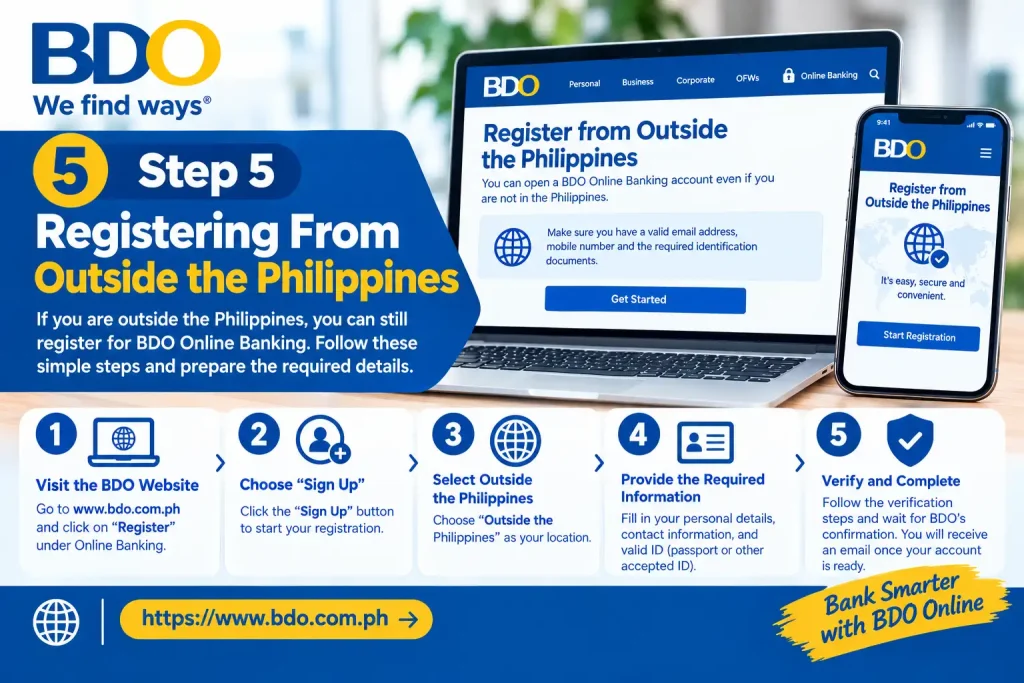
If you’re currently overseas, look for the option indicating that you are signing up from outside the Philippines and select it when applicable.
Step 6: Set Up Your Login Details
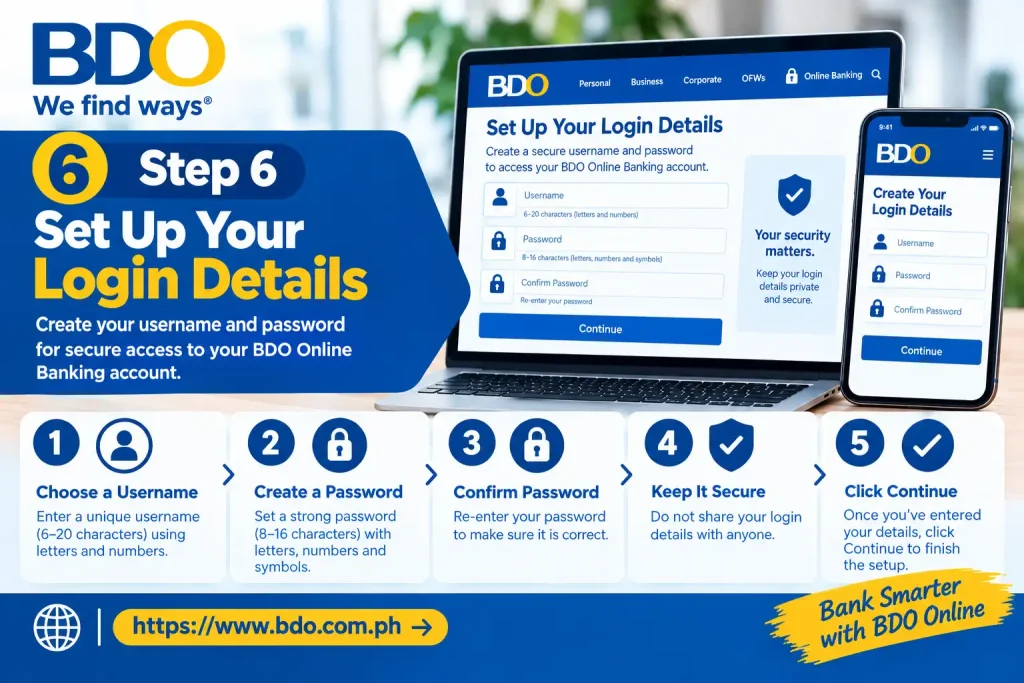
Create your preferred username and a secure password. Confirm the password and submit the registration details.
Step 7: Sign In to BDO Online
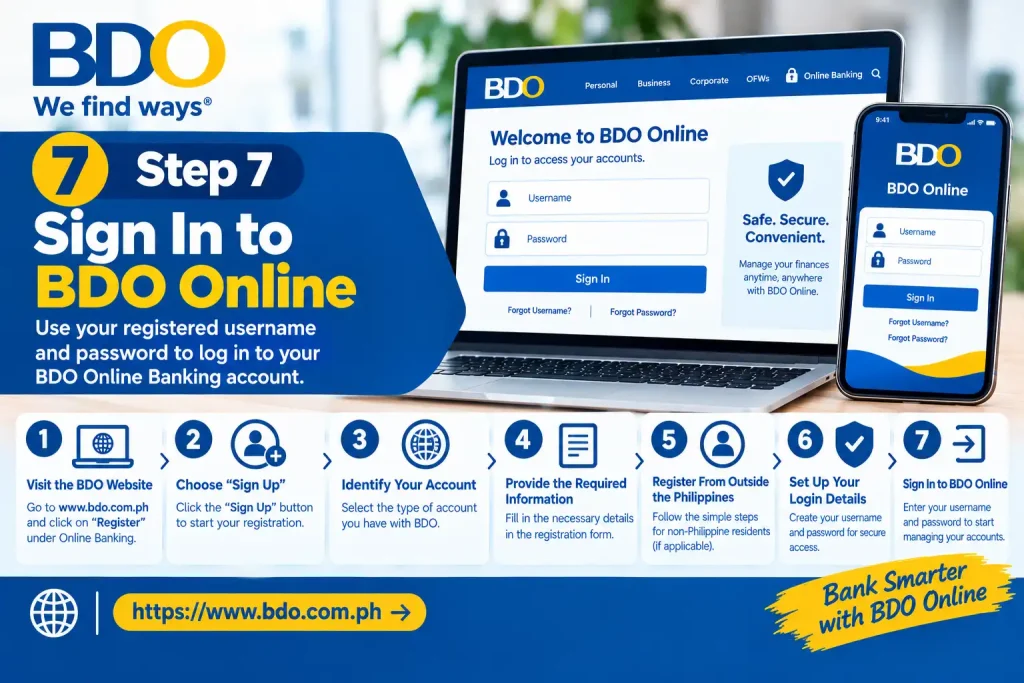
After your registration is successfully completed, use your newly create
BDO Online Banking Login
Accessing your BDO Online account starts with the official website and your registered login details. The authentication method may vary depending on how your account and device are set up.
Step 1: Visit the Official BDO Online Website
Open a trusted web browser and enter www.onlinebanking.bdo.com.ph directly in the address bar.
For your security, don’t use unexpected login links received through emails, text messages, or social media. BDO advises customers to access online banking through its official websites and applications.
Step 2: Provide Your Username
Enter the BDO Online username you created during registration. Check that the username is entered correctly before continuing.
Step 3: Enter Your Password
Type your current BDO Online password in the password field. Avoid sharing your password with anyone.
Step 4: Complete the Required Authentication
BDO may ask you to verify the login using the authentication method linked to your account. Depending on your setup, this may involve:
Follow the verification instructions displayed during sign-in.
Step 5: Open Your BDO Online Dashboard
Once authentication is completed successfully, you’ll be taken to your BDO Online account. From there, you can access the eligible accounts, cards, and digital banking services connected to your profile.
BDO Online Banking Login Through the Mobile App
If you already have a BDO Online account, you can sign in using the BDO Online mobile app. The app also supports device-based biometric authentication where available, giving you an alternative to entering your password each time.
How to Sign In
Keep in mind: Biometric login depends on the capabilities and settings of your mobile device. BDO also supports Passcode as an alternative login method.
BDO Online Password Recovery
If you’ve forgotten your BDO Online password, you can start the reset process directly from the BDO Online login screen. You’ll need your username, account or card information, and access to your registered mobile number for OTP verification.
How to Reset Your BDO Online Password
BDO Online Password Requirements
When creating a new password, the supplied BDO requirements are:
| Requirement | What You Need |
|---|---|
| Minimum length | At least 8 characters |
| Lowercase letter | Required |
| Uppercase letter | Required |
| Number | Required |
| Special character | Required |
| Previous password | Cannot be reused |
| Certain characters | Backslash and quotation marks are excluded |
Tip: Create a unique password that you don’t use for other online accounts, and avoid sharing it with anyone.
How to Retrieve Your BDO Online Username
Forgotten your BDO Online username? You can request it again using the email address linked to your BDO account. The recovery process is handled through the BDO Online login page.
Tip: Make sure you use the same email address registered with your BDO Online account. If you do not receive the recovery email, check your spam or junk folder before trying again.
What Can You Do Through BDO Online?
After signing in to BDO Online, the tools available to you may vary depending on the accounts linked to your profile and the digital-banking features currently offered by BDO.
Here are some of the common functions you may find:
| Feature | Typical Use |
|---|---|
| Account Management | Check eligible BDO accounts and view their balances. |
| Transaction History | Monitor recent account activity and transactions. |
| Money Transfers | Transfer funds using the supported transfer methods. |
| Bills Payment | Settle bills from participating billers. |
| Buy Load | Purchase prepaid mobile load when the feature is available. |
| Card Management | Lock or unlock eligible cards through the available controls. |
| Account Visibility | Choose which eligible accounts appear in your BDO Online view. |
| Notifications | Receive selected alerts relating to transactions and account logins. |
| Secure Access | Use available security methods such as app authentication, OTP, biometrics or a passcode. |
Keep in Mind
The exact services and controls shown in your account can change as BDO updates its digital-banking platform. BDO identifies features such as account management, card controls, prepaid load, transaction updates and secure login as part of the BDO Online experience.
How to Keep Your BDO Online Account Secure
Protecting your online-banking account starts with a few consistent habits. Whether you access BDO Online from your phone, computer or another network, keep your login details and verification codes private.
Essential Security Tips
Security reminder: BDO advises customers to avoid suspicious links and never share OTPs. Always use official BDO websites and applications when accessing digital-banking services.
BDO Online Troubleshooting: Common Login and App Problems
Most BDO Online issues can be narrowed down by checking your login details, OTP delivery, internet connection or app setup. Use the relevant fix below instead of repeatedly attempting the same action.
Unable to Sign In
If your BDO Online login is not working, start with these checks:
If the problem is a forgotten password, use BDO’s official password-recovery process rather than repeatedly entering possible passwords.
OTP Has Not Arrived
An OTP may not arrive immediately if there is an issue with your mobile service or registered number. Check the following:
For applicable authentication and recovery procedures, BDO sends OTPs to the registered mobile number.
What If Your Account Is Locked?
If your BDO Online account becomes locked, use the recovery option available from the login screen:
Need help logging in? → I’d like to reset my password
The reset process requires your username, the last four digits of your account or card number, and an OTP.
BDO Online App Not Working
If the BDO Online app is not opening or functioning properly, work through these basic checks:
Security warning: Do not download unofficial BDO banking applications or APK files from unknown websites. Use only official BDO channels for banking access and app installation.
What Happens When BDO Online Access Is Disabled?
Disabling your BDO Online access can be useful as a security precaution, but it also limits several digital-banking functions. Your BDO accounts are not closed or deactivated; the restriction applies to online access.
Effects of Disabling Online Access
Once access has been disabled:
Before You Disable Access
Because disabling access affects your digital-banking services, it should generally be viewed as a security precaution, not as an ordinary way to recover a forgotten password. If you only need to regain access because you forgot your credentials, use the appropriate BDO login-recovery option instead.
Using BDO Online When Registering From Overseas
Customers who are registering for BDO Online while outside the Philippines may be given an option during registration to indicate that they are signing up from overseas. Select the applicable outside-the-Philippines option and provide the information requested during the registration process.
For users based abroad, keeping the registered mobile number and email address accessible is especially important. BDO’s login and account-recovery procedures may require OTP verification or confirmation through the registered email address.
Tip: Before starting registration or account recovery from overseas, make sure you can access the contact details associated with your BDO account.
BDO Online Banking: Quick Reference
Use this table to find the most common BDO Online tasks and the corresponding action to take.
| Task | What to Do |
|---|---|
| Sign In | Open BDO Online, enter your username and password, then complete the required authentication. |
| Create an Account | Select Sign up, choose the relevant account type, provide the requested details, and create your username and password. |
| Reset a Forgotten Password | Select Need help logging in? → Reset password, enter the requested information, complete OTP verification, and set a new password. |
| Recover a Forgotten Username | Go to Need help logging in? → Get my username and provide your registered email address. |
| OTP Not Received | Check your registered mobile number and network connection, then request another OTP if the option is available. |
| Account Locked | Follow the available password-reset procedure to recover access. |
| Security Issue | Change your password and contact BDO using its official support channels. |
| Access on Mobile | Use the official BDO Online mobile application. |
Tip: If a login or recovery option is not available exactly as shown above, use the current options displayed on the official BDO Online login page.
Getting Help With BDO Online Banking
If you are dealing with an account-specific issue, a security concern, or a transaction that you cannot resolve through BDO Online, use BDO’s official customer support channels for assistance.
BDO lists the Customer Contact Center at (+632) 8888-0000. The bank also provides an international toll-free contact number on its security information page for customers calling from outside the Philippines.
For the latest support and security information, refer to:
BDO Online Support & Security Information
Security reminder: BDO representatives should not require you to disclose confidential authentication details. Never share your password, OTP, PIN, or other sensitive login information with anyone claiming to represent the bank.
FAQs
Final Thoughts
BDO Online Banking gives eligible customers a practical way to manage supported accounts, cards, payments, transfers and other banking tasks through its web platform and mobile app. To get the most from the service, register through an official BDO channel, keep your username and password private, complete OTP or app-based authentication when requested, and use BDO’s official recovery options if you lose access.
For better security, access BDO Online directly through the official website or BDO mobile application. Avoid using banking links sent by unknown or unverified sources, particularly when they ask for login credentials or authentication codes.


