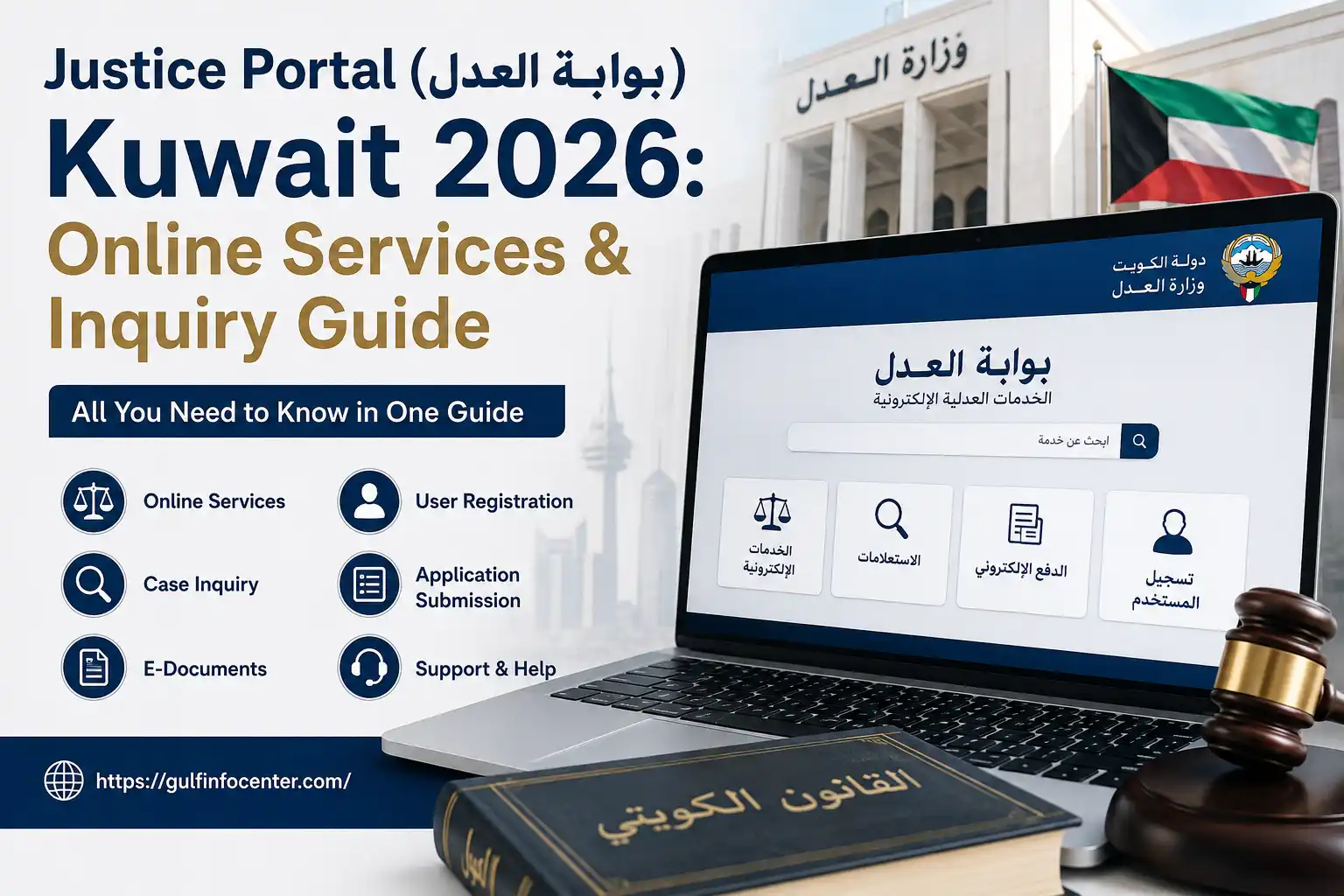

Need to check a justice-related service in Kuwait without making an unnecessary trip to a government office? The Justice (بوابة العدل) provides online access to a range of Ministry of Justice services, including enquiries, legal information, electronic services and other justice-related facilities. Depending on the service, you may be able to submit a request, check information or access a procedure digitally. This guide covers the Kuwait Justice Portal, its main services, login process, inquiry options and common access problems in 2026.
What Is بوابة العدل Kuwait?
The Justice (بوابة العدل) is an electronic platform operated by Kuwait’s Ministry of Justice. It brings different justice and legal services together so eligible users can access information and carry out certain procedures online.
The portal is relevant to several types of users, including citizens, residents, lawyers and other authorised users. Depending on the service selected, you may be able to find case information, payment details, legal services, appointments or other Ministry-related procedures.
Rather than visiting a Ministry office for every basic enquiry, users can first check whether the required service is available electronically.
How to Register on Kuwait Justice Portal (بوابة العدل) in 2026
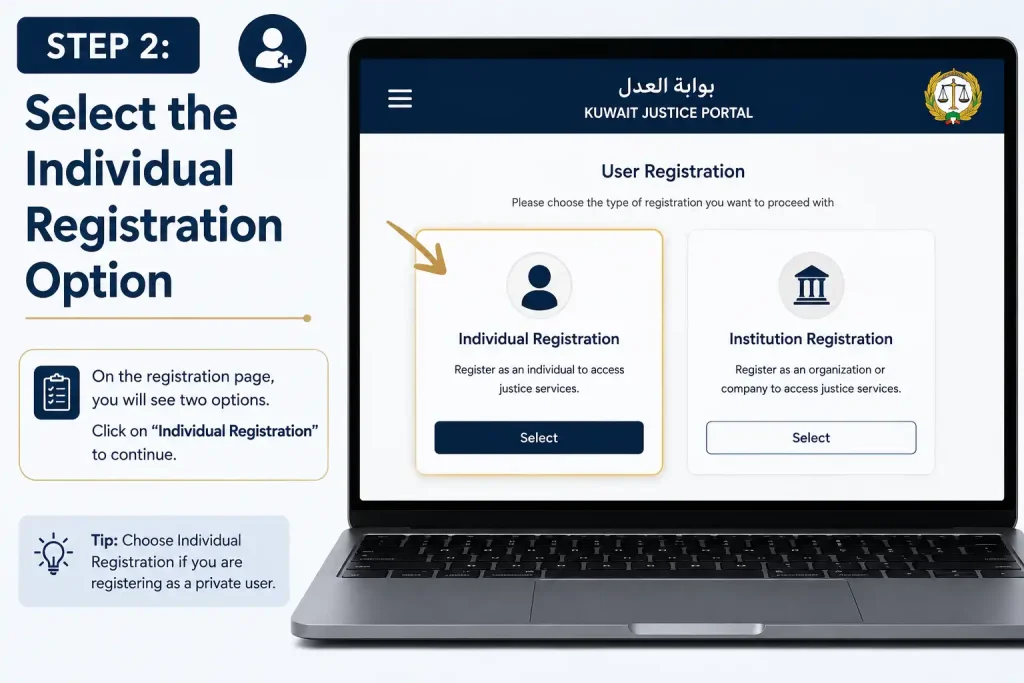
Justice registration gives users access to the Kuwait Ministry of Justice’s electronic services through a verified account. To get started, open the official portal, choose the registration option that matches your user type, and complete identity verification using the Hawiyati (هويتي) app. Once your details have been confirmed, you can finalise your account and sign in to use the available online services.
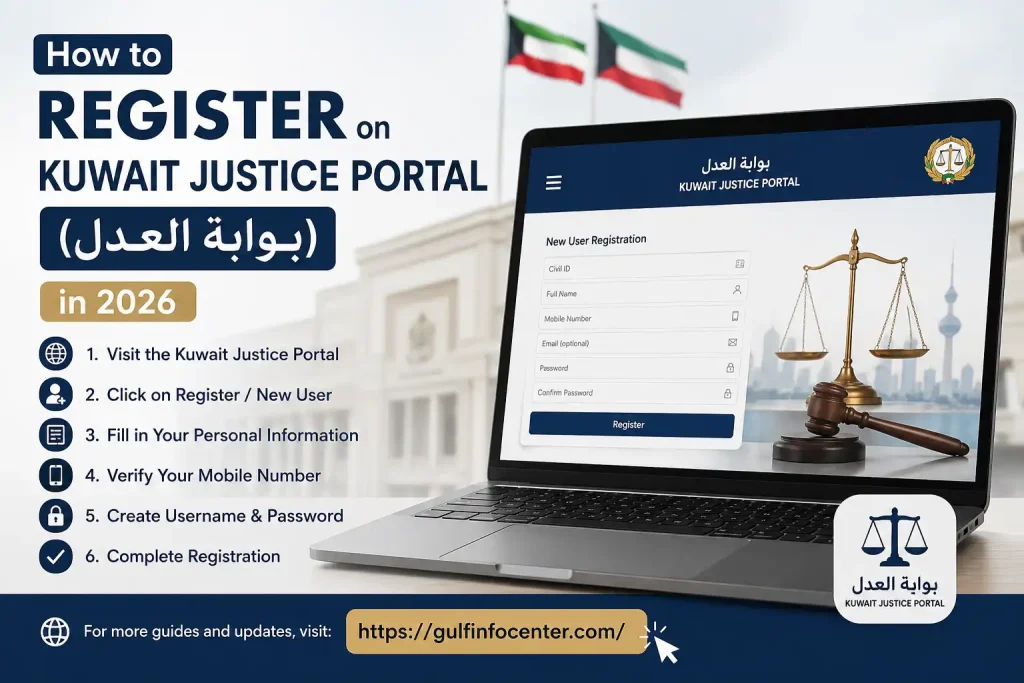
Step 1: Open the Kuwait Justice Portal
Visit the official Kuwait Ministry of Justice electronic services portal. From the available options, select New User Registration (تسجيل مستخدم جديد) to begin setting up your account.
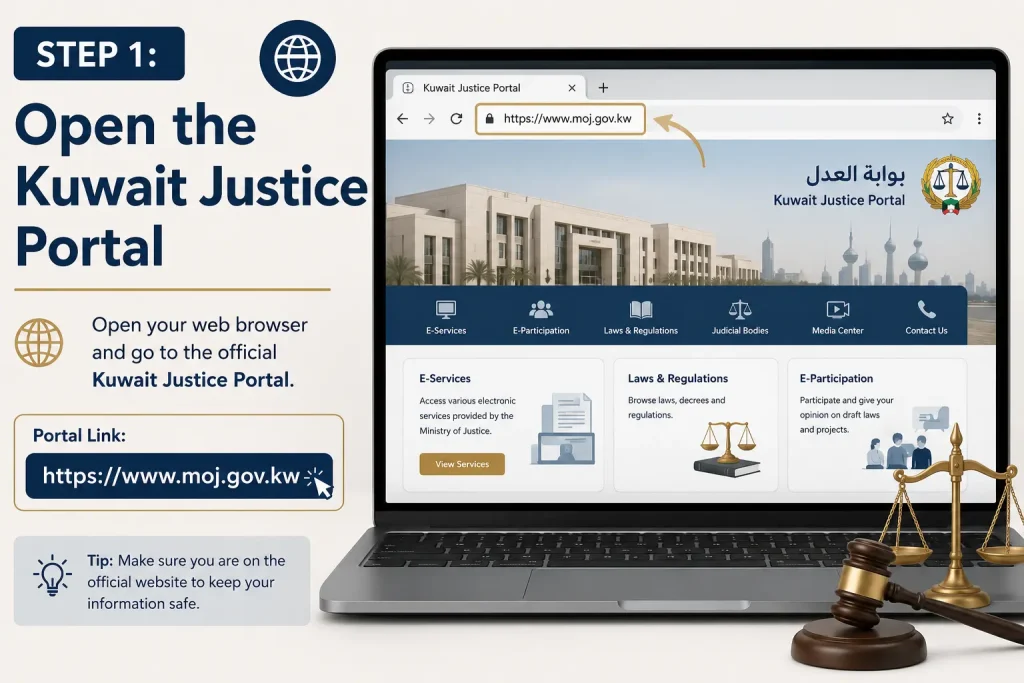
Step 2: Select the Individual Registration Option
Select the option designed for individual users. Before moving forward, check the registration requirements displayed on the page.
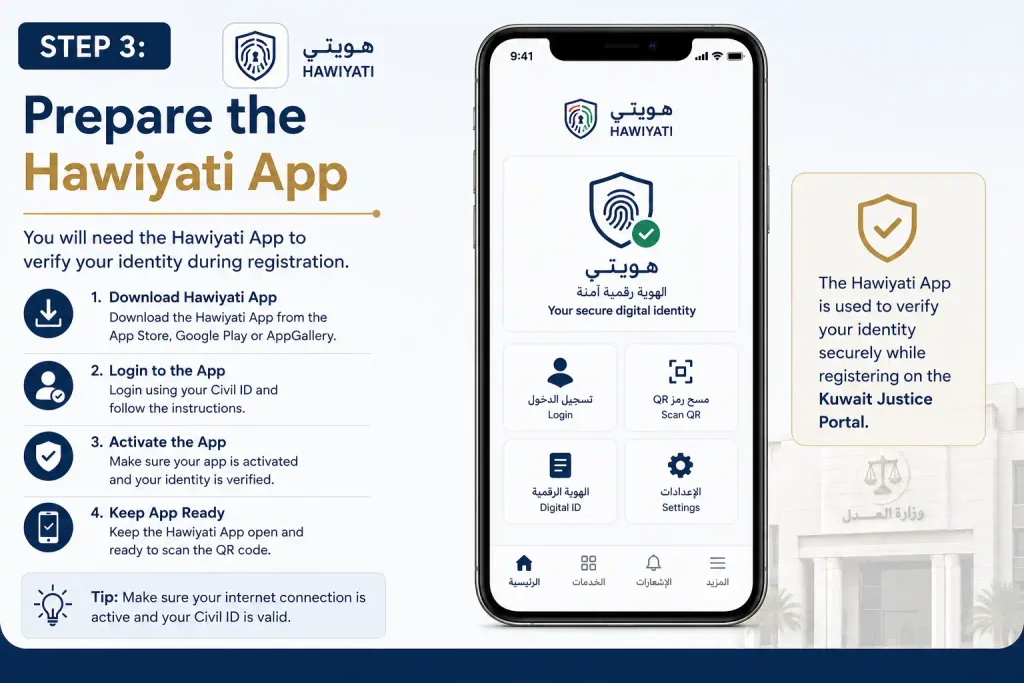
Step 3: Prepare the Hawiyati App
You will need the Hawiyati (هويتي) mobile app for identity authentication. Make sure the app is installed on your phone and ready to receive the verification request.
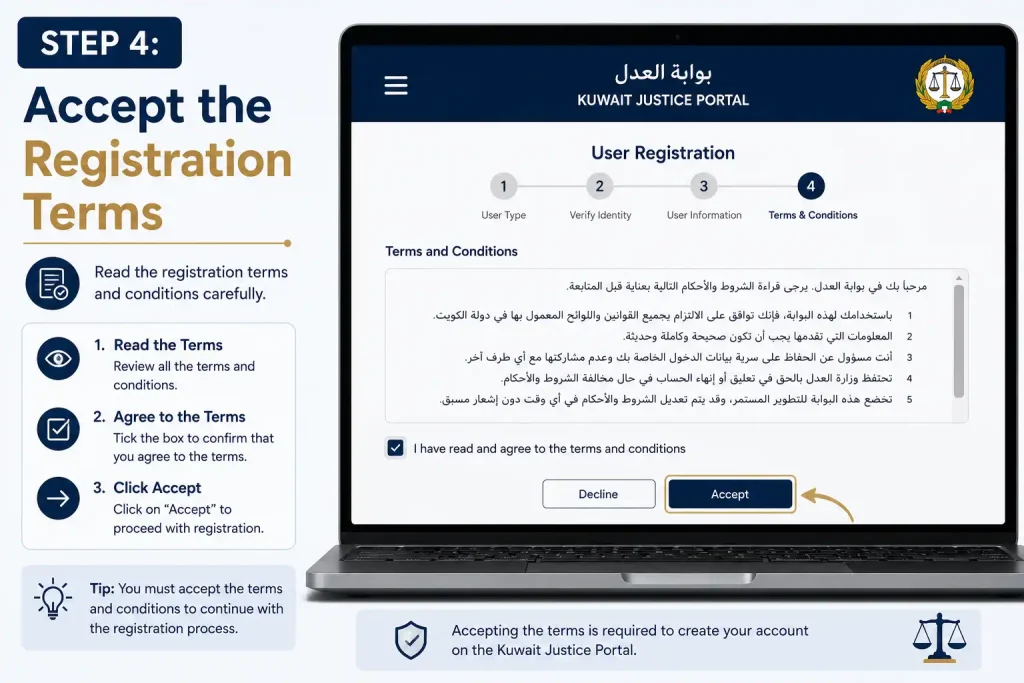
Step 4: Accept the Registration Terms
Go through the terms and conditions provided during registration. If you agree, confirm your acceptance to proceed to the identity verification stage.
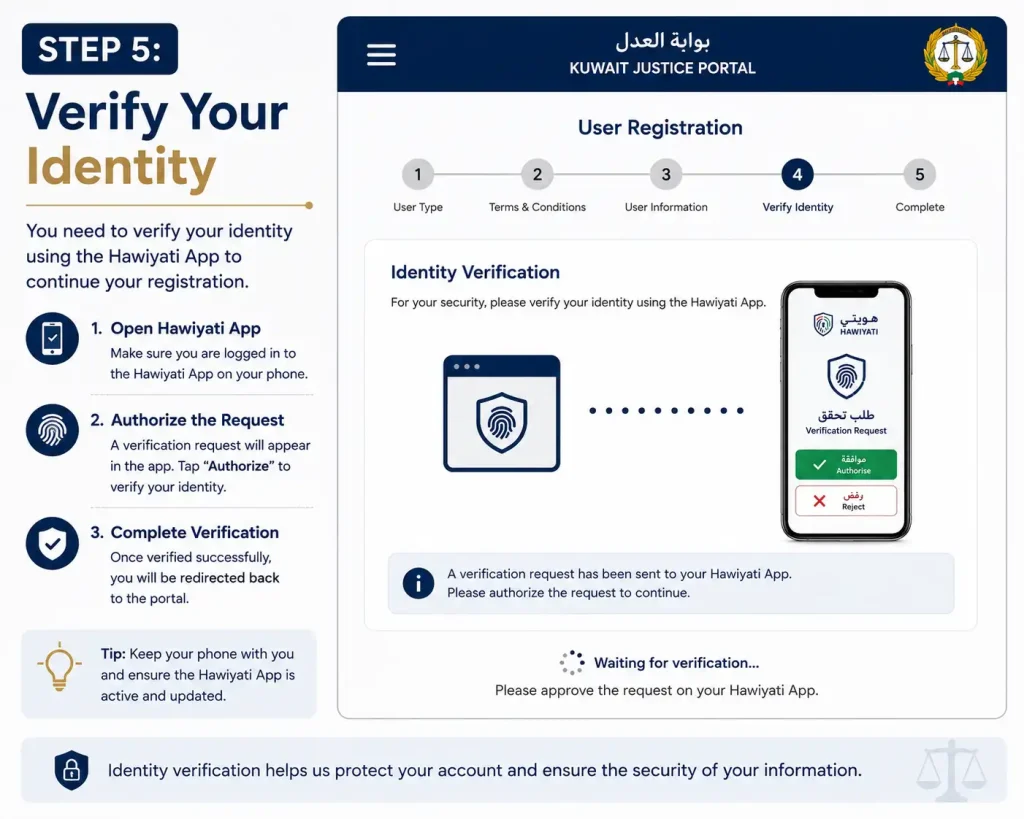
Step 5: Verify Your Identity
Open the Hawiyati app when prompted and approve the verification request. Follow the instructions shown on your mobile device to confirm your identity.
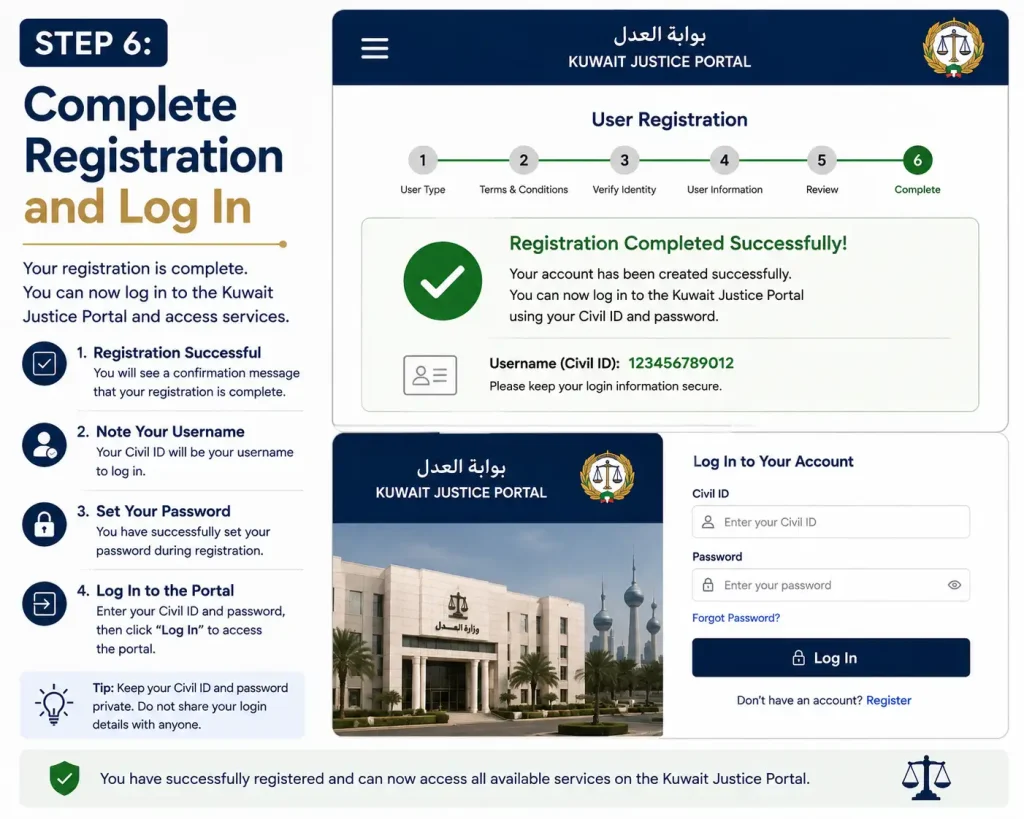
Step 6: Complete Registration and Log In
After your identity has been successfully verified, enter any additional information requested by the portal and submit the registration. Once the process is complete, use your new account to log in and access Kuwait Ministry of Justice electronic services.
Kuwait Justice Portal 2026: What Can You Do Online?
The Kuwait Justice connects users with a variety of Ministry of Justice electronic services. The information required depends on the service you select. Some transactions may ask for identification details, Civil ID information, case references or other relevant data.
Common uses include:
- Accessing justice-related services online
- Checking case and legal information
- Using available electronic payment facilities
- Finding Ministry of Justice information
- Submitting eligible digital requests
- Accessing appointment-related information where available
- Reducing the need for in-person visits
The available facilities can change according to the user’s eligibility and the Ministry’s current electronic-service options.
Getting Started With the Electronic Justice Portal
The best approach is to begin with the official Ministry of Justice online platform and then select the service that matches your requirement. The exact screens and information fields can differ between services.
Find the Appropriate Electronic Service
Once you reach the Ministry’s online services, identify what you need to do. For example, your requirement might involve an enquiry, payment, case-related service or another electronic procedure.
After selecting a service, read its instructions carefully before entering any information.
Provide the Requested Details
Enter the information requested by the selected service. Depending on the transaction, this may include identification information, case details or other service-specific data.
Accuracy matters here. An incorrect reference number or personal detail may prevent the system from returning the information you need.
Review and Submit
Check the information you have entered before submitting the request. If the service supports an immediate electronic result, the relevant information should be displayed after the system successfully verifies your details.
Good practice: Use the official Ministry website when accessing justice services, particularly when entering identification, case or payment information.
Justice Portal Inquiry Services
One of the key uses of the Justice Inquiry system is finding information connected with justice and legal matters. The exact information available depends on the enquiry service selected and whether you are authorised to access the requested data.
Before starting, identify the type of information you want and have the relevant details available. Using the wrong enquiry option or entering inaccurate information can lead to an unsuccessful search.
What Information Can an Inquiry Provide?
Available enquiry services may cover areas such as:
| Inquiry area | Possible information |
|---|---|
| Case enquiries | Available case-related details |
| Payment enquiries | Applicable payment information |
| Legal services | Information about available legal facilities |
| Appointments | Appointment-related information where supported |
| Requests | Information about eligible requests and transactions |
| Ministry services | Other available justice-service information |
The exact result depends on the service and the user’s access rights.
Main Services Available Through the Kuwaiti Justice Portal
The Kuwaiti Justice Portal is intended to make Ministry services easier to access through electronic channels. Instead of treating every requirement as an office visit, users can check the online system first to see whether the relevant service is available digitally.
Some of the main service areas include:
- Case Inquiry — Access available information about cases.
- Payment Services — Use applicable electronic payment facilities.
- Legal Services — Find information about available legal services.
- Appointments — Access appointment-related services where provided.
- Electronic Requests — Submit or track eligible online requests.
- Information Services — Find Ministry guidance and justice-related information.
Not every service will have the same requirements. Always follow the instructions displayed for the particular service you are using.
How Does Justice Portal Login Work?
Certain services require authentication before users can access personal, restricted or transaction-specific information.
If the service presents a login or authentication option, the general process is:
- Open the official Kuwait Ministry of Justice online platform.
- Select the electronic service you need.
- Choose the available Login or authentication option.
- Provide the requested account or identification information.
- Complete any additional verification step.
- Continue to the service after successful authentication.
The information required can differ between services, so don’t assume that every Justice Portal login uses the same credentials.
Keep Your Login Information Secure
Justice-related accounts and enquiries can involve personal or sensitive information. Use the official Ministry website and avoid entering credentials into websites that merely use the words “Justice ” or “Ministry of Justice” in their titles.
Who Is Eligible to Use the Kuwait Justice Portal?
Access depends on the particular service rather than a single set of rules for every user. Depending on the service, the platform may be used by:
- Kuwaiti citizens
- Kuwait residents
- Lawyers and legal professionals
- Businesses and authorised representatives
- Other eligible users
A service available to one group may not be available to another. Check the individual service requirements before starting an application or enquiry.
Why Use the Justice Portal Online?
Moving eligible justice services online can make routine enquiries and procedures more convenient.
Access Services Without Every Office Visit
When an appropriate service is available electronically, users can begin or complete the relevant process online instead of travelling to a Ministry office for every basic requirement.
Find Information More Conveniently
Electronic enquiries can provide access to relevant case, payment or transaction information through the available online system.
Services in One Place
The portal provides a central starting point for different Ministry of Justice facilities, making it easier to identify the category relevant to your needs.
Less Paper-Based Work
Where digital submission is supported, users can enter information and submit eligible requests electronically rather than relying entirely on paper procedures.
Justice Portal Problems and How to Handle Them
An online justice service may occasionally fail to display the expected information or may be temporarily inaccessible. This doesn’t necessarily mean that your request is incorrect.
Common causes include:
- Incorrect information entered during an enquiry
- Authentication or login difficulties
- Temporary website maintenance
- Browser-related problems
- Internet or connectivity issues
- A service not being available electronically
- Additional authorisation being required
Quick Troubleshooting Checklist
If the portal isn’t working as expected, try these checks:
1. Review your information
Make sure your identification details, case references or other required information are correct.
2. Check your connection
A weak or unstable internet connection can interfere with online services.
3. Try again later
Temporary maintenance or technical problems may affect access.
4. Confirm the service requirements
Some facilities may require additional authentication or authorisation.
5. Use the official support channels
For important legal or case-related matters, contact the Ministry through its official support channels if the online service remains unavailable.
Justice Portal Kuwait: Quick Reference
| If you need to… | Start with… |
|---|---|
| Check justice-related information | Justice inquiry services |
| Find case information | Relevant case enquiry |
| Review payment information | Available electronic payment service |
| Access legal services | Legal services section |
| Handle an online request | Electronic request service |
| Check an appointment | Appointment service, where available |
| Access restricted information | Login or authentication |
| Resolve access problems | Official Ministry support |
Important Tips Before Using بوابة العدل
Keep these points in mind when using Kuwait’s electronic justice services:
- Use the official Ministry of Justice online platform.
- Select the enquiry or service that matches your actual requirement.
- Keep relevant Civil ID, case or transaction information available when required.
- Check every field before submitting an enquiry.
- Complete authentication when the service requires it.
- Don’t share account credentials or verification information.
- If a service is temporarily unavailable, check again later.
- For urgent legal matters, rely on official Ministry channels rather than unofficial websites.
FAQs
Final Thought
The Kuwait Justice (بوابة العدل) gives eligible users a digital route to a variety of Ministry of Justice services and enquiries. Whether you need case-related information, payment facilities, legal services, appointments or an electronic request, the first step is to identify the correct service and follow its specific requirements. Always use the official Ministry platform, provide accurate information and complete any required authentication before submitting a request.


